
A TV antenna usually stops working because of a loose connection, a bad cable, the wrong TV input setting, or signal issues from placement and interference. Start by checking the coax cable is tight at both ends, set the TV input to Antenna/Air (not Cable), and run a fresh channel scan.
If you use a splitter or amplifier, bypass it to test the antenna directly, since those parts often fail first. Moving the antenna higher and closer to a window also fixes many “no signal” problems.
Common Antenna Issues
TV antennas often stop working due to common issues that are easy to fix. Knowing these problems helps you solve them quickly. Most antenna problems come from physical damage, loose connections, or interference. Checking these areas saves time and restores your signal.
Physical Damage
Antennas are outside devices exposed to weather. Wind, rain, or snow can bend or break parts. Rust and corrosion also harm the antenna metal. Damaged antennas cannot catch signals well. Inspect your antenna for cracks, bends, or rust. Replace parts or the whole antenna if needed.
Loose Connections
Connections between the antenna and TV must be tight. Loose cables cause poor or no signal. Check the coaxial cable for secure fitting at both ends. Sometimes the cable itself is damaged. Replace frayed or broken cables. Tighten all screws and connectors firmly.
Interference Sources
Other electronic devices can block antenna signals. Wi-Fi routers, microwaves, and cordless phones cause interference. Tall buildings and trees also affect signal strength. Move the antenna away from electronics. Place it higher or near a window for better reception. Avoid metal objects close to the antenna.

Credit: www.wikihow.com
Signal Problems
Signal problems are a common reason your TV antenna might not work. The antenna needs a clear, strong signal to pick up channels well. Various factors can weaken or block this signal. Understanding these issues helps you fix the problem quickly.
Weak Signal Strength
A weak signal is the most frequent cause of poor TV reception. Distance from the broadcast tower affects signal strength. The farther you are, the weaker the signal becomes. Older or damaged antennas also struggle to catch signals properly. Check your antenna’s condition and position for better strength.
Obstructions Blocking Signal
Physical objects can block or reduce your TV antenna signal. Tall buildings, trees, hills, and walls interfere with the signal path. Even new construction near your home can cause problems. Moving your antenna higher or away from obstacles often improves reception. Clear line of sight to the broadcast tower is best.
Weather Impact
Weather changes affect antenna signals a lot. Rain, snow, fog, and storms can weaken or disrupt signals. Strong winds might move or tilt your antenna out of position. During bad weather, expect some channel interruptions. Secure your antenna firmly and check it after storms for damage.
Antenna Setup Errors
Many TV antenna problems come from setup errors. These mistakes stop the antenna from working well. Fixing them can improve your TV signal quickly. Check your setup carefully to find these common issues.
Incorrect Positioning
Placing your antenna in the wrong spot blocks signals. Walls, trees, and buildings can cause interference. Aim the antenna toward the nearest broadcast tower. Higher spots often give better reception. Avoid putting the antenna inside cabinets or behind furniture.
Improper Cable Installation
Loose or damaged cables reduce signal quality. Make sure all connections are tight and secure. Use good quality coaxial cables designed for TV antennas. Avoid bending or twisting cables sharply. Check for any cuts or breaks in the cable.
Wrong Antenna Type
Different antennas suit different locations and needs. Indoor antennas work best near broadcast towers. Outdoor antennas catch distant signals better. Using the wrong type limits your channel options. Match your antenna type to your area’s signal strength.
Troubleshooting Steps
Troubleshooting your TV antenna can fix most common problems. Follow these simple steps to find the cause of the issue. Each step checks a different part of your setup.
Checking Connections
Start by looking at all cable connections. Make sure the antenna cable is tightly plugged into the TV. Loose or damaged cables can stop signals from reaching your TV. Look for any visible damage on the wires.
Also, check the TV input settings. Confirm the TV is set to the correct input for the antenna. Sometimes the TV might be set to cable or another source instead of antenna.
Repositioning Antenna
Move your antenna to a different spot in the room or near a window. Walls and furniture can block signals. Higher places often get better reception. Try adjusting the antenna slowly and watch the TV signal change.
Small changes in angle or direction can improve signal strength. Outdoor antennas usually work best when placed as high as possible and pointed toward broadcast towers.
Testing With Different Devices
Test your antenna with another TV or tuner. This can tell you if the problem is with the antenna or your TV. If the second device gets a signal, your TV might need repair.
If no device gets a signal, the antenna or cable might be faulty. Try using a different cable to check if that fixes the problem.
When To Replace Your Antenna
Knowing the right time to replace your TV antenna can save you from poor signal and frustration. Antennas do not last forever. Weather and use can damage them over time. Replacing your antenna at the right moment helps maintain clear TV reception and fewer interruptions.
Signs Of Wear And Tear
Check your antenna for rust or broken parts. Bent or loose elements reduce signal quality. Corroded metal affects performance. Also, look for frayed cables or damaged connectors. These signs mean your antenna may need replacement soon. Small damages can cause big problems with reception.
Upgrading For Better Reception
Older antennas may not catch new digital signals well. Upgrading can improve picture and sound quality. New models have better technology to pick up more channels. If you moved to a new area, your old antenna might not work well. A fresh antenna can solve many reception issues.
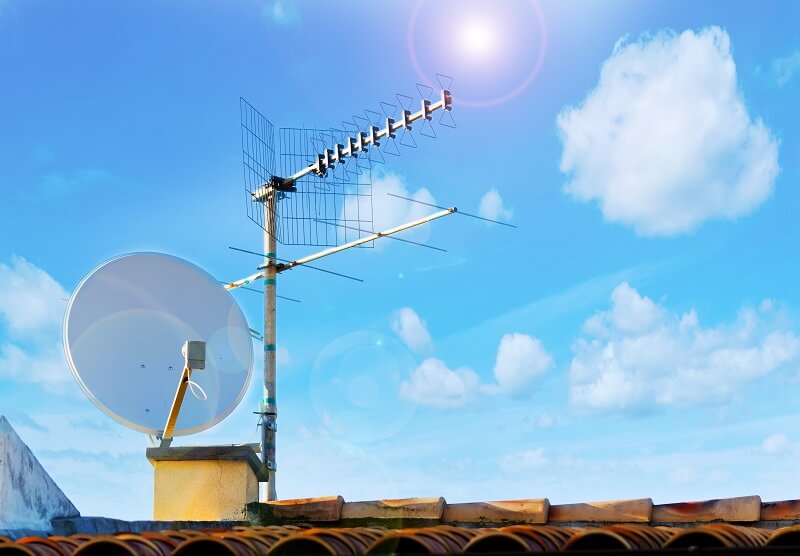
Credit: getquicktech.com.au
Conclusion
Troubles with your TV antenna can be frustrating. Check the cable connections first. Make sure the antenna points toward the broadcast towers. Try moving it to a higher spot or near a window. Weather and obstacles might block the signal.
Sometimes, a simple reset of your TV helps. If problems continue, consider testing with another antenna or cable. Small fixes often solve the issue quickly. Keep these tips in mind for clear TV reception. Your shows deserve the best picture and sound.
Stay patient and keep adjusting until it works well.