
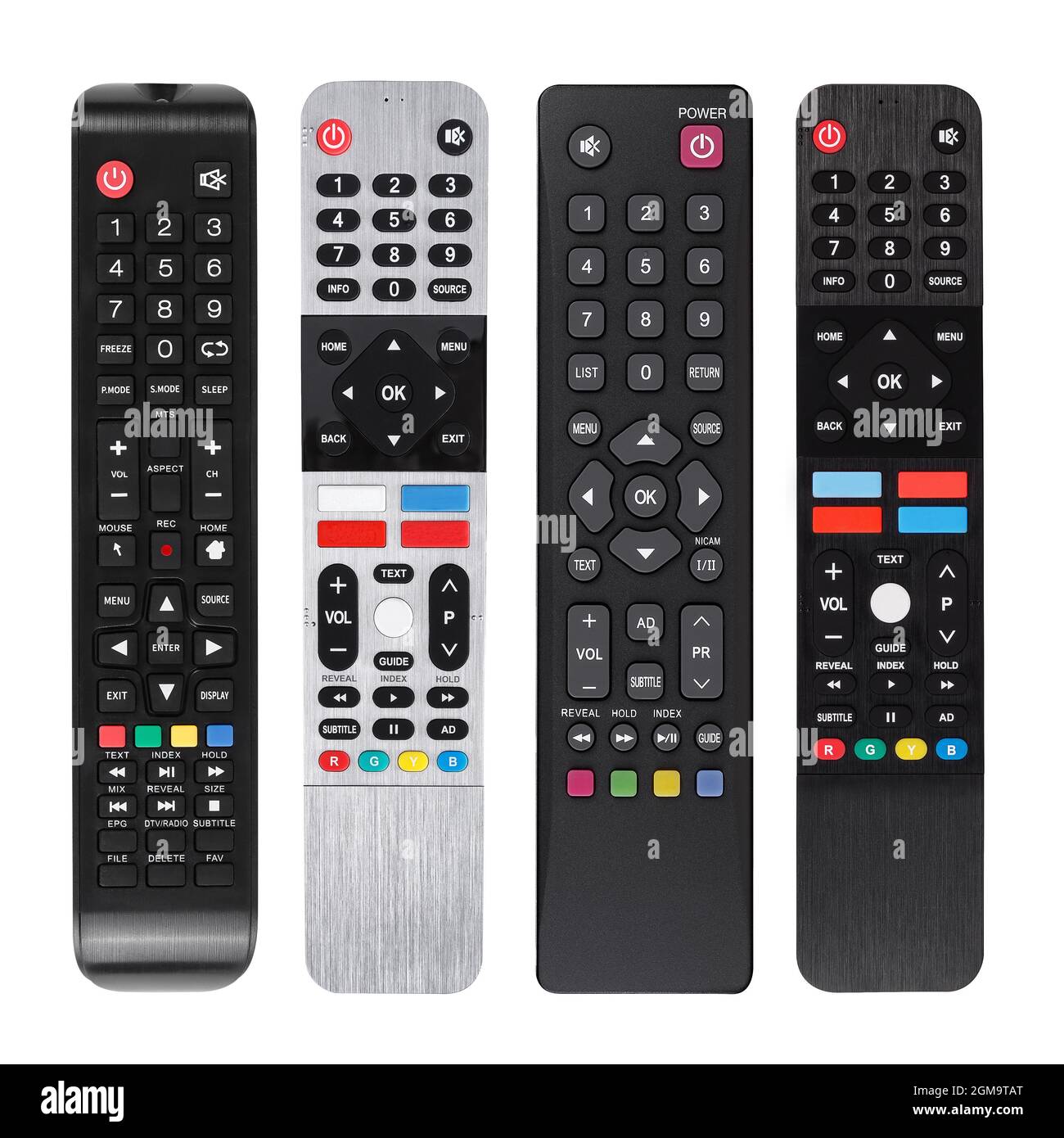
Have you ever wondered why your TV remote looks different from others you’ve seen? Or why some remotes have so many buttons while others are simple?
Understanding the types of TV remotes can make your viewing experience smoother and more enjoyable. Whether you want to control your TV better, replace a lost remote, or just satisfy your curiosity, this guide will help you discover the right remote for your needs.
Keep reading to unlock the secrets behind the different types of TV remotes and find out which one matches your lifestyle perfectly.
Infrared Remotes
Infrared remotes are the most common type of TV remote control. These remotes use light signals to send commands to the TV. They have been around for many years and remain popular due to their simplicity and cost-effectiveness.
How Infrared Works
Infrared remotes use invisible light waves to communicate with the TV. When you press a button, the remote sends a beam of infrared light. This light carries a code that the TV can understand. The TV has a sensor that reads this code and performs the command, like changing channels or adjusting volume.
The remote and TV must be in direct line of sight for the signal to work. Infrared signals cannot pass through walls or objects. This is why the remote needs to point directly at the TV.
Advantages And Limitations
Infrared remotes are simple and inexpensive. They work well in most home environments. Their batteries last a long time because they use very little power. Many TVs and devices support infrared remotes, making them very common.
The main limitation is the need for direct line of sight. Obstacles can block the signal. The range is also limited, usually around 20 feet. Infrared remotes cannot control devices that are hidden behind furniture or inside cabinets.

Radio Frequency Remotes
Radio Frequency (RF) remotes use radio waves to control devices. They do not need a clear line of sight like infrared remotes. This makes RF remotes very useful in many home setups. You can control your TV or other devices even if objects block the remote sensor.
RF remotes work by sending signals through the air at specific radio frequencies. These signals carry commands to the receiver connected to your TV or device. The receiver then acts on these commands.
Rf Technology Basics
RF remotes send signals using radio waves instead of light. The remote has a small transmitter inside. The TV or device has a receiver that listens for these signals. When you press a button, the remote sends a coded signal. The receiver decodes this signal and performs the command.
This technology allows control without pointing the remote directly at the device. It uses frequencies that pass through walls and furniture easily.
Range And Interference
RF remotes usually have a longer range than infrared remotes. They can work up to 100 feet or more. This range depends on the frequency and environment.
Interference can occur if many devices use similar frequencies. Other wireless devices, like Wi-Fi routers, may cause this. Interference can lead to delayed or missed commands.
Good RF remotes use unique codes to reduce interference. This helps keep commands clear and precise.
Bluetooth Remotes
Bluetooth remotes offer a modern way to control your TV without direct line of sight. They use wireless signals to connect, making them more flexible than traditional remotes.
These remotes can work from different rooms or angles, improving user comfort. They often include extra features like voice control and motion sensing.
Connectivity Features
Bluetooth remotes connect wirelessly using short-range radio waves. This allows stable connections without the need for infrared signals.
They pair easily with devices, usually through a simple setup process. The connection stays active until manually turned off or the battery dies.
These remotes reduce interference from other devices, providing clear commands. They also support longer control distances compared to infrared remotes.
Compatibility With Devices
Bluetooth remotes work well with many smart TVs, streaming boxes, and media players. Most modern devices support Bluetooth connectivity for remote control.
Some remotes are designed for specific brands, while others work universally. Check device compatibility before buying to ensure smooth performance.
They also connect to computers, tablets, and smartphones that support Bluetooth. This adds convenience for users who use multiple devices.
Voice Control Remotes
Voice control remotes change how people use their TVs. They let users speak commands instead of pressing buttons. This makes watching TV faster and easier. No need to find the right button or scroll through many menus.
These remotes use special technology to understand spoken words. They can recognize simple commands like “turn up the volume” or “find comedy movies.”
Voice Recognition Tech
Voice control remotes use voice recognition technology. This tech listens to your words and changes them into commands. It uses microphones to hear your voice clearly. Then, it processes what you say using software inside the remote or in the TV.
Advanced remotes can understand different accents and speech patterns. They filter out background noise to avoid mistakes. This technology improves over time with updates and learning your voice style.
Popular Voice Assistants
Many voice control remotes connect to popular voice assistants. These assistants include Alexa, Google Assistant, and Siri. They help with tasks like changing channels, searching shows, or controlling smart home devices.
Alexa works with many smart TVs and offers simple voice commands. Google Assistant can answer questions and control other smart devices. Siri is common in Apple TV remotes and integrates well with other Apple products.
These assistants make using a TV more interactive and fun. They allow hands-free control and quick access to favorite content.
Universal Remotes
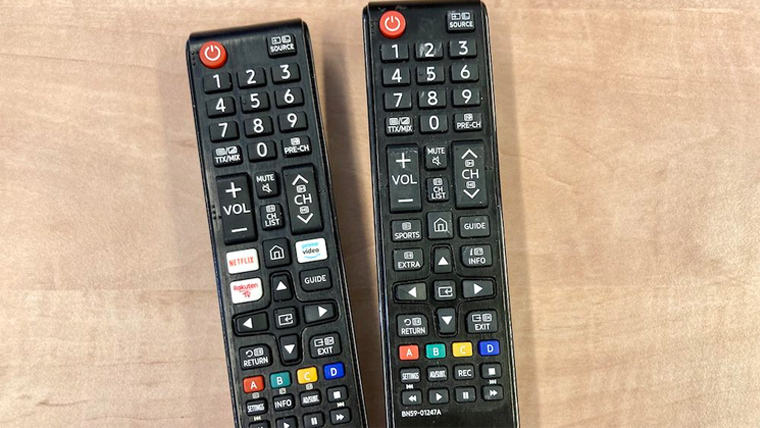
Universal remotes simplify managing many devices with one controller. They help reduce the clutter of multiple remotes on your table. These remotes can control TVs, DVD players, sound systems, and more. Ideal for homes with many electronic gadgets.
Multi-device Control
Universal remotes can operate several devices at once. You can switch from TV to DVD without changing remotes. It saves time and makes watching easier. Some remotes support smart home devices too. This feature keeps your entertainment organized and simple.
Programming And Setup
Setting up a universal remote is usually easy. Most come with a code list or auto-search function. Entering the device code links the remote to your gadget. Some remotes connect via apps for faster setup. Clear instructions help avoid confusion during programming.
Smartphone Apps As Remotes
Smartphone apps as remotes offer a new way to control your TV. These apps turn your phone into a remote control. No need to find the traditional remote. Just use the device you carry everywhere.
Many TV brands have their own apps. These apps connect your phone to the TV using Wi-Fi or Bluetooth. You can change channels, adjust volume, and even browse content. Some apps offer extra features like voice control or keyboard input. This makes typing easier than using a normal remote.
App Connectivity
Most apps connect through Wi-Fi or Bluetooth. Wi-Fi allows control from anywhere in the house. Bluetooth works at shorter distances but uses less power. To connect, install the app and follow simple pairing steps. The app finds your TV automatically. This quick setup saves time and avoids frustration.
Benefits Over Traditional Remotes
Smartphone apps reduce the chance of losing remotes. Phones are harder to misplace than small remotes. Apps offer faster typing with a keyboard. Voice commands make searching easy and hands-free. Some apps combine remotes for different devices into one. This reduces clutter and confusion. Updates improve app functions over time without buying new hardware.
Frequently Asked Questions
What Are The Common Types Of Tv Remotes?
TV remotes include infrared (IR), radio frequency (RF), Bluetooth, and smart remotes. Each type works differently to control your TV. IR remotes need a clear line of sight to function.
How Does An Infrared Tv Remote Work?
Infrared remotes send light signals to the TV sensor. These signals carry commands like volume or channel changes. The TV then acts on these signals instantly.
What Is A Smart Tv Remote?
Smart remotes connect via Wi-Fi or Bluetooth to smart TVs. They offer voice control and app navigation. This makes using streaming services easier.
Can Universal Remotes Control Multiple Devices?
Universal remotes can control TVs, DVD players, and more. They use codes to connect with different brands. This reduces the need for many remotes.
Why Use Bluetooth Tv Remotes?
Bluetooth remotes don’t need direct sight to the TV. They work through walls and furniture. This adds convenience and flexible TV control.
Conclusion
Choosing the right TV remote makes watching easier and fun. Different remotes serve different needs. Some work with buttons, others with voice or motion. Know what fits your TV and lifestyle best. Simple or smart, each remote has a role.
Understanding types helps you pick wisely. Enjoy control at your fingertips every time.