
Yes, TV antennas can have problems after flooding, especially if water gets into the coax cable, connectors, splitter, or amplifier. Moisture can cause corrosion, signal loss, and sudden channel dropouts, even if the antenna itself looks fine. If your setup was exposed to floodwater, replace any wet coax and rusted connectors, dry or replace the power injector/amplifier, and reseal outdoor connections to prevent future water intrusion.
Flooding Effects On Tv Antennas
Flooding can cause serious problems for TV antennas. Water can harm parts, block signals, and damage the antenna’s structure. These effects can stop your TV from working well. Understanding how flooding affects antennas helps you spot and fix issues fast.
Water Damage To Components
Water can enter the antenna’s electrical parts. This causes rust and corrosion. Corroded parts lose their ability to carry signals. Moisture inside connectors can create shorts. Once damaged, the antenna may stop working or give poor signal quality.
Signal Interference Issues
Floodwater can block or weaken TV signals. Mud and debris in water can coat the antenna. This reduces its ability to catch signals from broadcast towers. Even after floodwaters recede, dirt can still cause interference. Signal strength drops, causing pixelation or loss of channels.
Structural Impact From Floodwaters
Strong floodwaters can bend or break antenna parts. Poles and mounts may loosen or fall. Water pressure can shift the antenna’s position. Misalignment changes the antenna’s direction from towers. This results in weak or no signal reception. Repairing or replacing damaged parts is often necessary.

Credit: www.gettyimages.com
Common Problems After Flooding
Flooding can cause many problems for TV antennas. Water exposure damages parts and affects signal quality. Knowing common issues helps fix your antenna fast.
Corrosion And Rust
Water causes metal parts to rust and corrode. Rust weakens the antenna’s structure. Corrosion blocks signal paths and lowers reception. Rusty parts may break easily under wind or stress.
Loose Or Broken Connections
Flooding can loosen screws and connectors. Water may cause wires to short or break. Loose connections disrupt the signal flow. Broken cables stop the antenna from working.
Antenna Alignment Shifts
Floodwaters or strong winds can move the antenna. Even small shifts affect signal direction. Misaligned antennas lose channels or have poor picture quality. Realigning the antenna restores clear reception.
Signs Of Flood-related Antenna Damage
Flooding can harm TV antennas in many ways. Water and moisture can cause serious damage. It affects the antenna’s ability to receive signals clearly. Knowing the signs of flood-related antenna damage helps you act fast. Early detection can save repair costs and avoid long TV outages.
Poor Signal Quality
Signals may become weak or fuzzy after flooding. You might notice blurry pictures or strange colors. Audio could crackle or cut out during shows. These problems show the antenna is struggling to get a clear signal. Moisture inside the antenna or wiring often causes this issue.
Intermittent Reception
The TV signal may come and go without warning. Shows might freeze or pixelate for seconds at a time. This happens because water disrupts the antenna’s connections. Loose or corroded parts inside the antenna can break the signal flow. This problem tends to get worse after heavy rain or floods.
Complete Signal Loss
No picture or sound means total signal loss. Flood water can short-circuit the antenna or its cables. The antenna might be physically damaged or submerged. This stops all signals from reaching your TV. It means a full repair or replacement is needed.

Credit: www.amazon.com
Steps To Inspect Flood-damaged Antennas
Flooding can harm TV antennas in many ways. Water and mud may cause damage that affects signal quality. Checking the antenna carefully helps find problems early. This guide shows simple steps to inspect flood-damaged antennas. Follow these tips to see if your antenna needs repair or replacement.
Visual Inspection Tips
Start by looking at the antenna closely. Check for bent or broken parts. Look for rust or corrosion on metal surfaces. Dirt and mud can block signal paths. Clean the antenna gently with water and a soft cloth. Make sure the antenna is securely mounted and not loose.
Testing Signal Strength
Use your TV or a signal meter to test reception. Check if channels are clear or pixelated. Weak signals may mean antenna damage. Test the signal in different weather conditions. Move the antenna slightly to see if signal improves. This helps identify if the problem is with the antenna.
Checking Cable Integrity
Examine the cables connected to the antenna. Look for cracks, cuts, or worn areas. Water can enter damaged cables and cause shorts. Replace any cables that look damaged or old. Ensure all connectors are tight and free from rust. Good cables are essential for clear TV signals.
Repair And Maintenance Tips
Flooding can cause serious problems for TV antennas. Water and moisture damage may block signals or break parts. Repair and maintenance help restore your antenna’s function and improve your TV reception.
Regular checks and care keep your antenna working well after flooding. Follow simple steps to clean, dry, replace, and adjust the antenna. These actions save money and extend the antenna’s life.
Cleaning And Drying Components
Start by removing dirt, mud, and debris from the antenna. Use a soft brush or cloth to clean gently. Avoid harsh chemicals that may harm the parts.
Dry all components thoroughly. Use a towel or let them air dry in a warm, dry place. Moisture left inside can cause rust or short circuits.
Replacing Damaged Parts
Look closely for broken wires, rusted screws, or cracked pieces. These can block signals or cause safety issues. Replace any damaged parts with new ones of the same type.
Use basic tools like screwdrivers and pliers. Make sure all connections are tight and secure after replacement.
Recalibrating Antenna Position
Flooding might shift your antenna from its original spot. Check its position against a clear view of broadcast towers. Adjust the angle and height to get the best signal.
Small movements can make a big difference. Test your TV signal after each adjustment to find the best setup.
Preventing Future Flood Damage
Flooding can cause serious damage to TV antennas. Protecting your antenna from future floods is important. Simple steps can reduce damage and keep your signal strong. This section explains key ways to prevent flood damage.
Elevating Antenna Setup
Raising the antenna above possible flood levels helps avoid water damage. Use tall poles or mounts to lift the antenna. Check local flood history to find a safe height. Keep cables off the ground to stop water contact. Elevation creates a barrier against rising water.
Waterproofing Techniques
Seal all antenna joints and connections with waterproof tape. Use waterproof covers for the antenna base and cables. Apply weather-resistant paint on metal parts to prevent rust. Protecting against water stops corrosion and keeps signals clear. Choose materials designed for outdoor and wet conditions.
Routine Maintenance Schedules
Check your antenna regularly for signs of damage or wear. Clean off dirt and debris that can trap moisture. Inspect seals and replace any worn waterproof tape. Tighten loose parts to avoid damage during storms. Routine care extends antenna life and prevents flood damage.
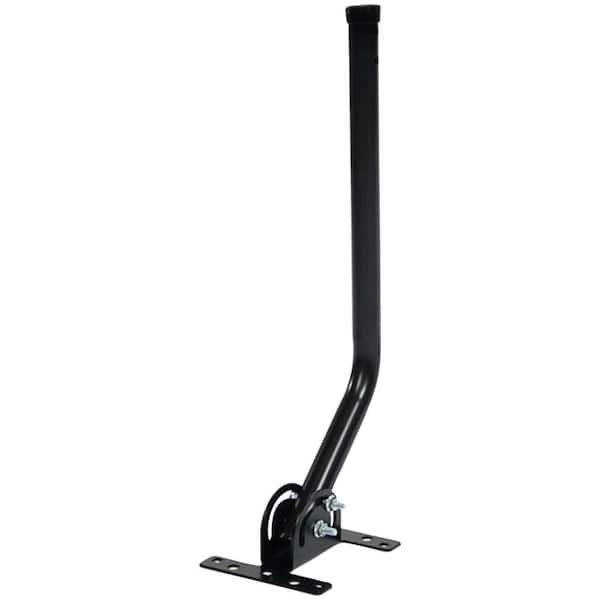
Credit: www.homedepot.com
Conclusion
Flooding can cause many issues for TV antennas. Water and mud may damage wires and connections. Signal strength might drop or disappear completely. Check your antenna after heavy rains or floods. Clean and dry it carefully to restore function. Replace any broken parts right away.
Taking quick action helps keep your TV working well. Remember, regular maintenance prevents future problems. Stay alert to changes in your signal quality. Your antenna can last longer with proper care.