
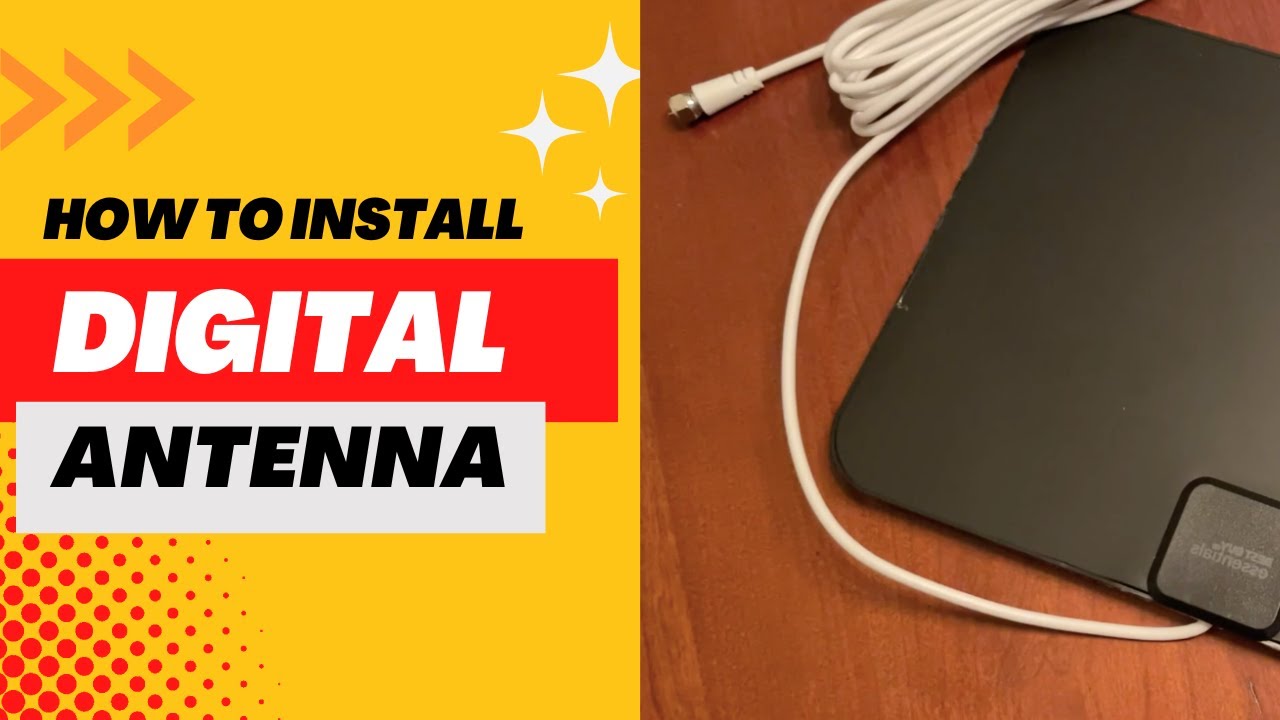
Connecting a TV antenna to an HDTV is easy and only takes a few minutes. Plug the antenna’s coax cable into the ANT/CABLE IN port on the back of your TV, then place the antenna near a window or high on a wall for the best signal. Next, go to your TV’s settings, choose Antenna/Air as the input, and run a channel scan so the TV can find your local channels.
With just a few simple steps, you can unlock crystal-clear local channels and never miss your favorite shows again. You’ll discover exactly how to set up your antenna for the best signal and picture. Keep reading to transform your TV experience and save money at the same time!
Credit: www.youtube.com
Choosing The Right Antenna
Choosing the right antenna is key to enjoying clear TV signals on your HDTV. Different antennas suit different needs and locations. Picking the right one can improve your TV viewing experience significantly.
Indoor Vs Outdoor Options
Indoor antennas are easy to install and fit inside your home. They work best near TV towers or in urban areas. Outdoor antennas mount outside and capture stronger signals. They are ideal for rural or distant locations. Outdoor antennas usually provide better reception but need more setup.
Antenna Types And Signal Strength
There are several antenna types: directional, omnidirectional, and multi-directional. Directional antennas focus on signals from one direction. They give strong signals but need aiming. Omnidirectional antennas receive signals from all directions. They are simple to use but may have weaker signals. Multi-directional antennas combine both features for better coverage. Signal strength depends on antenna type and placement.
Factors Influencing Antenna Choice
Distance from TV towers affects antenna choice. Obstacles like buildings and trees can block signals. Your home’s construction materials also matter. Some walls reduce signal strength more than others. Weather can impact outdoor antenna performance. Budget and ease of installation are important too. Consider these factors to pick the best antenna for your HDTV.

Credit: www.youtube.com
Preparing Your Hdtv
Preparing your HDTV is the first step to enjoy free TV channels through an antenna. You need to check your TV’s ports and settings. This ensures a smooth connection and good picture quality. Follow these simple steps to get your HDTV ready.
Locating The Antenna Input
Look at the back or side of your HDTV. Find the port labeled “ANT IN” or “RF IN.” This is where you will connect the coaxial cable from your antenna. The port looks like a round hole with a threaded outer ring. Make sure this port is clean and not damaged.
Checking Tv Compatibility
Most modern HDTVs have a built-in digital tuner. This tuner receives signals from antennas. Check your TV’s manual or settings menu to confirm. If your TV lacks a digital tuner, you need a digital converter box. This box connects between the antenna and your TV.
Software Updates And Settings
Turn on your HDTV and open the menu. Check for software or firmware updates. Updates improve signal reception and fix bugs. After updating, find the “Channel Scan” or “Auto-Tune” option. Run this scan to let your TV find all available channels.
Connecting The Antenna
Connecting the antenna to your HDTV is a simple step that lets you enjoy free broadcast channels. This process ensures your TV receives a clear and strong signal. Follow these easy steps to set up your antenna properly.
Using Coaxial Cables
Use a coaxial cable to link the antenna to your HDTV. One end connects to the antenna’s output port. The other end fits into the TV’s antenna input, often labeled “ANT IN.” Make sure the cable is straight and not bent sharply.
Securing Connections
Tighten the coaxial cable connections by hand. Avoid over-tightening to prevent damage. A loose connection can cause signal loss and poor picture quality. Check that cables fit snugly and do not wiggle.
Avoiding Signal Interference
Keep the coaxial cable away from power cords and other electronics. These can cause signal interference and degrade picture quality. Use cable clips or ties to keep cables organized and separated from other wires.

Credit: www.amazon.com
Tuning The Tv For Channels
Tuning your HDTV for channels is the next step after connecting your TV antenna. This process helps the TV find all available channels in your area. Proper tuning ensures you get the best picture and sound quality from your antenna. It also organizes the channels for easy browsing on your remote.
Tuning is simple but important. It can be done through your TV’s menu settings. You can choose to scan automatically or manually. Each method has its benefits depending on your needs.
Accessing The Channel Scan
Start by turning on your TV. Use the remote to open the main menu or settings. Look for options like “Channels,” “Setup,” or “Tuner.” The exact name varies by TV brand. Find and select “Channel Scan” or “Auto Program.” This option begins the search for all channels your antenna receives. Wait while the scan runs. It might take a few minutes.
Auto Scan Vs Manual Scan
Auto scan searches all frequencies for channels. It is easy and fast. The TV finds both strong and weak signals automatically. This option is best for most users. Manual scan lets you enter specific channel frequencies. Use this if you know exact channel numbers or want to add missing channels. Manual scanning takes more time but offers more control.
Saving Your Channels
After scanning, the TV shows a list of found channels. Select “Save” or “Store” to keep these channels. Your TV will remember the list for future use. If you move the antenna, repeat the scan to update channels. Regular saving prevents loss of channels and makes watching easy.
Improving Signal Quality
Improving signal quality is key to getting clear TV pictures and sound. A weak signal causes fuzzy images and lost channels. Small changes can make a big difference in reception. Focus on antenna setup and tools to boost the signal strength.
Optimal Antenna Placement
Place the antenna as high as possible. Higher spots catch more signals. Avoid metal objects and thick walls nearby. Point the antenna toward the nearest broadcast tower. Use online maps to find tower locations. Test different spots for the best picture. Move the antenna slowly and check the signal each time.
Using Signal Amplifiers
Signal amplifiers boost weak signals. Connect the amplifier between the antenna and TV. Choose an amplifier with low noise to keep the picture clear. Avoid using a strong amplifier if the signal is already good. Too much amplification can cause interference. Check the amplifier power source and cables for proper setup.
Troubleshooting Common Issues
Check all cable connections for tightness. Loose cables lower signal quality. Replace old or damaged coaxial cables. Avoid sharp bends and twists in the cables. Remove any electronic devices that cause interference nearby. Rescan channels on your TV after moving the antenna. Reset the TV or antenna box if channels disappear.
Conclusion
Connecting a TV antenna to your HDTV is simple and quick. Just follow the steps carefully and check all connections. A good antenna boosts your signal for clear, free channels. Adjust the antenna to find the best reception. Enjoy watching your favorite shows without extra costs.
Stay patient and try different positions if needed. This easy setup helps you get the most from your HDTV. Now, you can watch many channels with great picture quality.