
To take a TV off a wall mount, first unplug the power and all cables, then locate the safety locks on the mount—usually small screws or pull cords at the bottom of the TV brackets. Remove or release these locks, lift the TV straight up to unhook it from the wall plate, and pull it gently away from the wall.
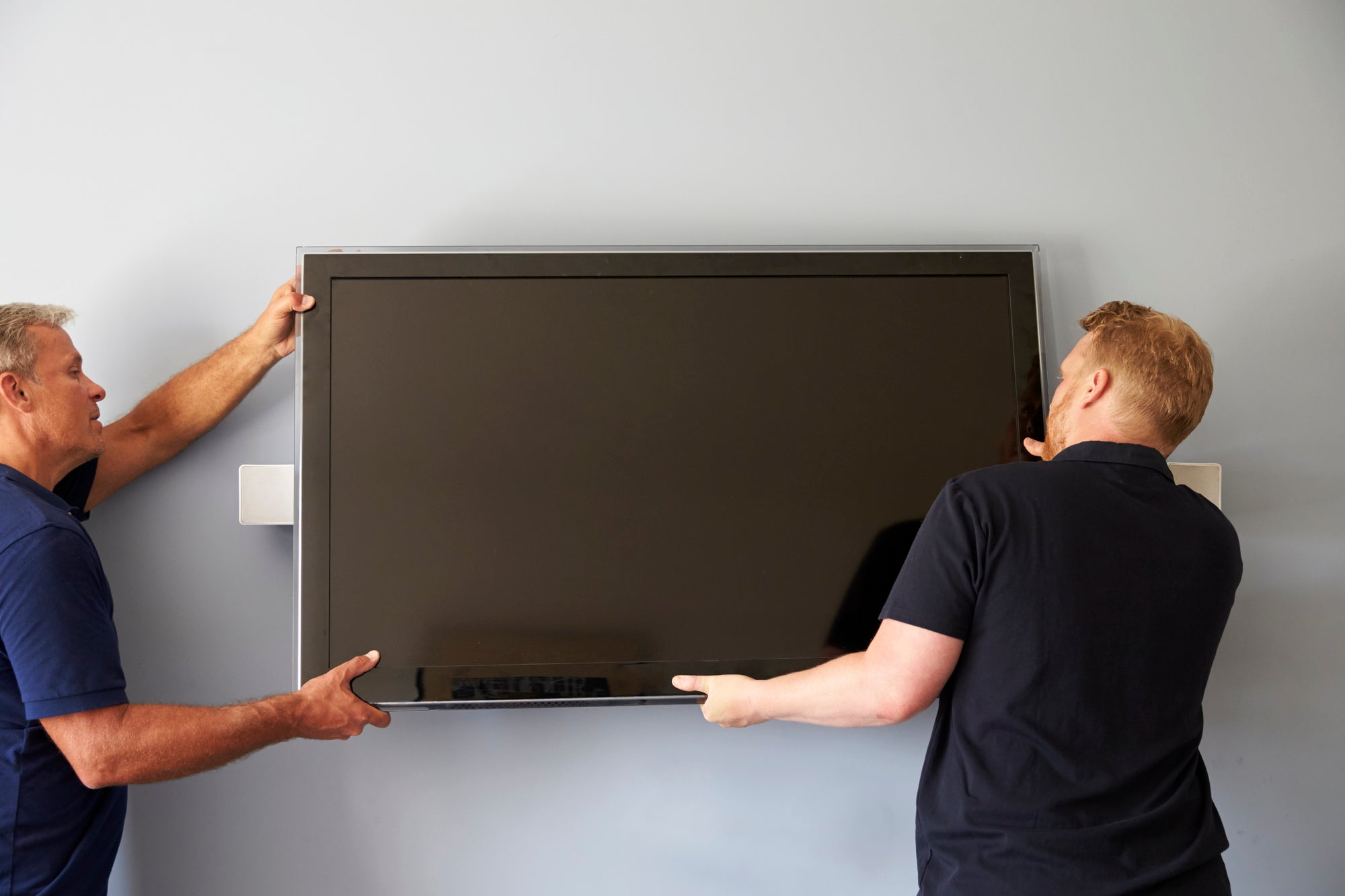
It’s safest to have two people: one to lift and one to guide the cables, especially for TVs over 50 inches.
Prepare The Area
:max_bytes(150000):strip_icc()/SPR-how-to-remove-tv-from-wall-mount-8417620-04-3b7849eeb0f142aeaf099a121826d001.jpg "How Do You Take a TV off a Wall Mount? 1")
Preparing the area before removing a TV from a wall mount is key for safety and ease. This step helps avoid damage to the TV, cables, and surroundings. Take time to get everything ready. A clean and organized space makes the removal process smooth.
Focus on unplugging all cables and clearing space around the TV. These actions protect your devices and give you enough room to work comfortably. A well-prepared area reduces stress and the chance of accidents.
Unplug All Cables
Start by unplugging every cable connected to the TV. This includes power cords, HDMI, USB, and antenna wires. Disconnecting cables prevents electrical hazards and damage during removal.
Handle cables gently to avoid pulling or bending them sharply. Take note of each cable’s position for easier reinstallation later. Use labels or take photos if needed. A fully unplugged TV is safe to move and less likely to get damaged.
Clear Space Around The Tv
Clear a wide area around the TV before removal. Remove furniture, decorations, and other objects nearby. This gives you room to maneuver and set the TV down safely.
Ensure the floor is clean and free of obstacles. A clear area prevents tripping or dropping the TV. Have a soft surface ready, like a blanket or carpet, to place the TV on after removal. Space and cleanliness protect both you and your TV during the process.
Identify The Mount Type
Before removing a TV from a wall mount, you need to identify the mount type. Different mounts have different removal methods. Knowing the type helps you avoid damage to your TV or wall.
Most mounts fall into three categories: fixed, tilting, and full-motion. Each type has unique features and removal steps. Identifying your mount type makes the process easier and safer.
Fixed Mounts
Fixed mounts hold the TV close to the wall. They do not allow any movement or tilting. Usually, the TV locks into the mount with clips or screws. To remove the TV, you may need to unlock clips or unscrew bolts. These mounts are the simplest to remove but need care to avoid dropping the TV.
Tilting Mounts
Tilting mounts allow the TV to tilt up or down. They have extra brackets or hinges for this motion. Removing a TV from a tilting mount often requires loosening screws or releasing clips. The TV may tilt forward slightly to free it from the mount. Check for locking mechanisms that keep the TV in place.
Full-motion Mounts
Full-motion mounts let you swivel and extend the TV. These mounts are more complex with many moving parts. Removal may involve folding the mount flat against the wall. You may need to press release tabs or pull release strings. Handle the TV carefully as full-motion mounts can be heavier and harder to balance.
Locate Release Mechanisms
Before removing a TV from its wall mount, find the release mechanisms. These parts hold the TV securely. Knowing where they are makes removal safer and easier.
Release mechanisms vary by mount type. Some mounts use pull strings or clips. Others have locking screws that keep the TV in place. Identifying these helps you proceed without damage.
Find Pull Strings Or Clips
Many wall mounts have pull strings or clips near the bottom edge of the TV. These release the locking arms when pulled down. Check both sides of the TV bottom for thin cords or small plastic clips.
Pull both strings or press the clips at the same time. This action frees the TV’s lower hold on the wall bracket. Hold the TV securely as you do this to prevent it from falling.
Check For Locking Screws
Some mounts use locking screws instead of pull strings. These screws keep the TV locked to the wall plate. Look for small screws around the mount’s bracket area behind the TV.
Use the correct screwdriver to loosen these screws. Do not remove them completely unless the instructions say to do so. Loosening the screws will allow you to lift the TV off the mount smoothly.

Credit: www.youtube.com
Release The Tv
Releasing the TV from its wall mount is the key step to safely remove it. This process involves loosening the hold that keeps the TV attached to the bracket. Careful handling will protect your screen and the wall mount during this step. Follow these simple actions to release the TV smoothly and avoid any damage.
Pull Strings Simultaneously
Locate the pull strings under the TV’s bottom edge. These strings unlock the safety clips holding the TV to the mount. Pull both strings down at the same time. This action releases the clips that lock the TV in place. Be sure to keep the TV supported as you do this step.
Unscrew Locking Bolts If Needed
Some mounts include locking bolts for extra security. Check if your mount has these bolts near the brackets. Use a screwdriver or wrench to loosen and remove these bolts. Do not force the TV off if bolts remain tight. Removing these bolts frees the TV from the mount.
Tilt And Lift The Tv Off
After releasing strings and bolts, tilt the TV forward gently. This angle helps detach the TV from the top bracket. Lift the TV straight up to clear the wall mount. Use both hands and steady your grip. It is safer with a second person to hold the TV while lifting.
Use Proper Lifting Techniques
Removing a TV from a wall mount needs careful handling. Using the right lifting techniques protects both you and the TV. It reduces the risk of dropping or damaging the screen.
Proper lifting also keeps your back and muscles safe. A wrong move can cause injury. Follow simple steps to lift the TV safely and smoothly.
Get A Helping Hand
The TV can be heavy and awkward to hold alone. Ask someone to help you lift and support the TV. Two people make the process safer and easier.
One person can hold the TV while the other unhooks it. This teamwork prevents the TV from slipping or falling. Never try to remove a large TV by yourself.
Lift Straight Up To Avoid Damage
Lift the TV straight up from the mount. Avoid tilting or pulling it sideways. Sideways force can damage the wall mount or TV frame.
Keep your back straight and use your legs to lift. This reduces strain on your body. Move slowly and steadily to keep control of the TV.
Remove Mounting Bracket
Removing the mounting bracket is the next step after detaching your TV from the wall. This process clears the wall and prepares it for repair or a new mount. Removing the bracket carefully avoids damage to your wall and ensures safety.
Take your time and use the right tools to unscrew and remove the bracket. After removal, the wall will likely have holes that need patching. Fixing these holes keeps your wall smooth and ready for painting or redecorating.
Unscrew Wall Bracket
Locate all screws holding the bracket to the wall. Use a screwdriver or drill to unscrew them completely. Support the bracket with one hand while removing the last screws to prevent it from falling. Carefully take the bracket off the wall. Place screws and the bracket in a safe spot for later use.
Patch And Repair Wall Holes
Inspect the wall for holes left by the screws. Clean the holes by removing dust and debris. Apply spackling compound or wall filler using a putty knife. Smooth the surface and let it dry according to the product instructions. Sand the patched area until smooth. Paint over the area to match your wall color.
Store Or Relocate The Tv Safely
After removing the TV from the wall mount, storing or moving it safely is key. Protect the screen and avoid damage during handling or transport. Follow careful steps to keep your TV in good shape.
Proper storage also helps prevent dust buildup and accidental knocks. Take time to organize all parts and place the TV in a secure spot. This makes future setup easier and safer.
Place Tv On Soft Surface
Lay the TV face down on a soft, clean surface. Use a thick blanket or foam to cushion the screen. Avoid hard or rough areas that can scratch or crack the display. Ensure the TV is stable and will not slide or fall.
Organize Cables And Hardware
Keep all cables, screws, and mounting parts together. Use labeled bags or containers to store small items. This prevents loss and confusion later. Wrap cables loosely to avoid bending or damage. Having everything in one place saves time when reinstalling or relocating.
Tools And Safety Tips
Removing a TV from a wall mount needs the right tools and care. Use proper equipment to avoid damage or injury. Follow safety steps to keep yourself and the TV safe during the process.
Essential Tools Needed
- Screwdriver (Phillips or flathead depending on screws)
- Socket wrench for bolts
- Step ladder for height access
- Stud finder to check wall support
- Soft cloth or blanket to place TV on
- Pull strings if your mount uses them
- Assistant to help hold the TV
Safety Precautions To Follow
- Turn off and unplug the TV before starting
- Clear the area around the wall mount
- Wear gloves to protect your hands
- Use a sturdy ladder for reaching the mount
- Have a helper support the TV while detaching
- Do not rush; work slowly and carefully
- Keep children and pets away during removal
- Check the mount’s manual for specific removal steps
Credit: www.mantelmount.com
Conclusion
Removing a TV from a wall mount is simple with the right steps. Always unplug cables before starting. Locate and pull the release strings or clips carefully. Support the TV as you tilt and lift it off the mount. Taking your time helps avoid damage to the TV or wall.
With patience, you can safely unmount your TV without stress or extra help.