
Computer monitor mounts and TV wall mounts aren’t exactly the same, even though they can look similar. Most monitors use VESA patterns like 75×75 or 100×100 and often need a VESA adapter, while TVs usually use larger VESA sizes and heavier-duty brackets.
TV mounts are built for more weight and wider screens, and many include tilt or full-motion arms. Always match the VESA holes, weight rating, and screw size before mixing them.
Wall Mount Basics
Mounting a computer monitor or TV on the wall can save space and improve viewing comfort. Wall mounts come in different types and sizes. Understanding the basics helps you choose the right mount for your device. Two main factors to consider are the VESA mounting standard and weight capacity. These ensure your screen stays secure and fits the mount properly.
Vesa Mounting Standard
VESA stands for Video Electronics Standards Association. It sets a universal pattern for mounting holes on the back of screens. Most TVs and monitors follow this pattern. The holes form a square or rectangle, measured in millimeters. Common sizes include 75×75, 100×100, and larger for bigger screens. Checking the VESA size of your device and mount ensures they match perfectly. If they don’t match, the mount will not fit securely.
Weight Capacity Importance
Each wall mount has a weight limit it can safely hold. The mount’s weight capacity must be higher than the device’s weight. Using a mount that cannot support the screen risks damage or accidents. Always check the weight of your TV or monitor before buying a mount. Choose a mount with some extra capacity for safety. This keeps your device stable and prevents falls.
Tv Vs Computer Monitor Mounts
TV wall mounts and computer monitor mounts may seem alike. Both hold screens on walls. Yet, they differ in important ways.
Understanding these differences helps pick the right mount. It ensures safety and perfect fit for your device.
Design Differences
TV mounts are made for larger, heavier screens. They often have stronger arms and wider bases. Computer monitor mounts are lighter and slimmer. They focus on adjustability and ergonomic positioning. TV mounts usually offer fewer tilt or swivel options. Monitor mounts often provide more flexibility for desk use.
Size And Weight Considerations
TVs weigh more and are bigger than monitors. Mounts for TVs must support higher weight safely. Monitor mounts handle lighter loads but focus on precise adjustments. Using a TV mount for a small monitor can be bulky. Using a monitor mount for a heavy TV risks damage or accidents.
Mounting Patterns
Both mounts often use the VESA standard. VESA defines hole patterns on the back of screens. TV mounts fit larger VESA patterns like 400×400 mm. Monitor mounts fit smaller patterns like 75×75 or 100×100 mm. Not all monitors follow VESA. Some may need adapters or special mounts. Checking your screen’s VESA size is key before buying.
Using Tv Mounts For Monitors
Using TV mounts for monitors can be a practical choice for many users. TV mounts often support larger screens and heavier weights. Some monitors fit well on TV mounts, but compatibility is key. Understanding the differences helps avoid damage or poor setup.
Compatibility Checks
Check if your monitor supports the VESA mounting standard. This standard uses specific hole patterns on the back. TV mounts usually follow VESA patterns too. Match the hole pattern size on your monitor with the mount. Also, confirm the mount’s weight limit exceeds the monitor’s weight. This prevents accidents and ensures stability.
Required Adjustments
TV mounts may need changes to fit monitors properly. Some mounts are designed for larger, heavier TVs, not smaller monitors. Adjust the mounting brackets or use adapters if needed. Tilt and swivel functions might differ. Choose a mount with the right range of motion for comfortable viewing. Cable management might require extra attention to keep wires neat.
Potential Limitations
TV mounts can be bulky compared to monitor mounts. They may not offer fine height adjustments. Some monitors, especially ultrawide or curved, might not fit well. The mount’s design can block ports or buttons on smaller screens. Using a TV mount might also limit ergonomic positioning. Consider these limits before finalizing your setup.
Credit: www.bestbuy.com
Mounting Process Steps
Mounting a computer monitor or TV on the wall improves space and viewing comfort. The process involves clear steps to ensure safety and stability. Understanding these steps helps you mount your device correctly and avoid damage.
Attaching Mount To Device
Start by checking the VESA pattern on your device. This pattern shows where screws go to connect the mount. Use the screws that come with the mount to fix the bracket to the back of your monitor or TV. Tighten screws firmly but avoid over-tightening to prevent damage.
Wall Preparation And Installation
Find a strong wall spot, preferably a stud, to hold the weight. Use a stud finder to locate it. Mark the drill points according to the wall plate holes. Drill pilot holes carefully to avoid cracking the wall. Attach the wall plate using heavy-duty screws and anchors if needed. Make sure the plate is level before tightening all screws.
Securing The Display
Lift the device and align it with the wall plate hooks or slots. Hang the device gently on the plate and ensure it locks or clicks into place. Test the mount by lightly shaking the device to check stability. Adjust the tilt or swivel if your mount allows. Keep cables organized and secure to avoid strain.
Important Features To Consider
Choosing the right wall mount requires attention to key features. These features impact usability, comfort, and setup cleanliness. Understanding these factors helps pick the best option for your device and space. Focus on adjustability, cable management, and compatibility with your monitor’s shape and type.
Adjustability Options
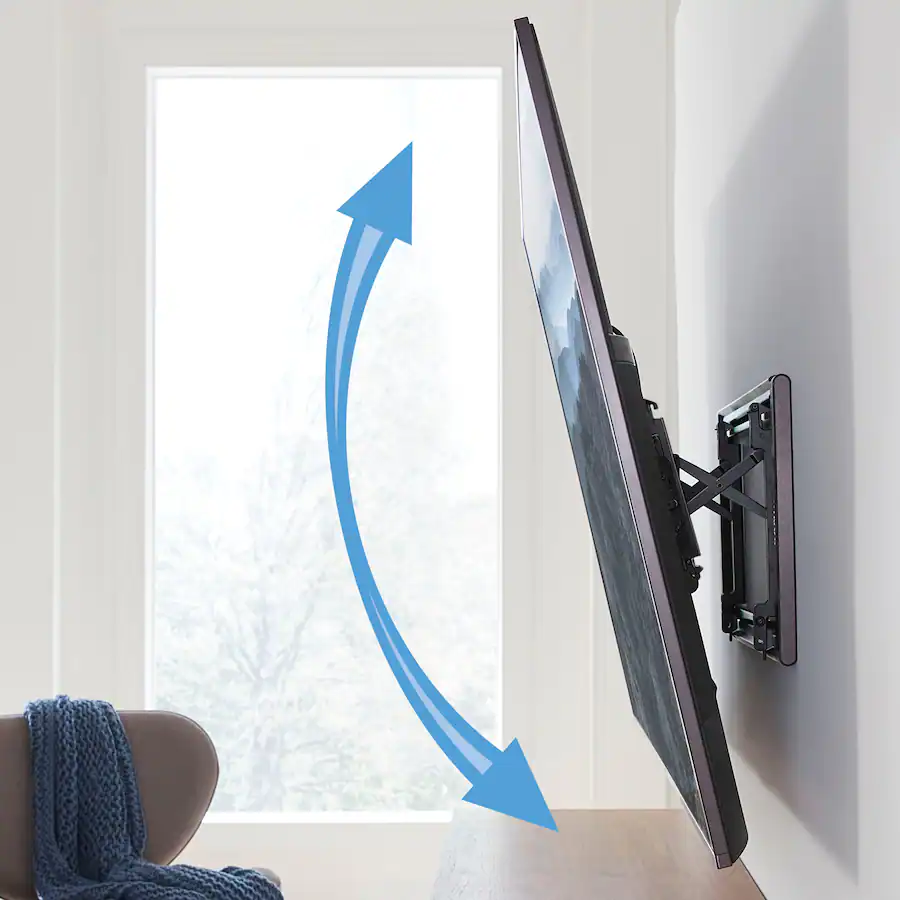
Adjustability lets you change the screen’s position easily. Look for mounts with tilt, swivel, and rotation features. These allow better viewing angles and reduce glare. Some mounts also extend or retract for more flexibility. Adjustability improves comfort during long use.
Cable Management Solutions
Cable management keeps wires neat and out of sight. Good mounts offer built-in channels or clips to organize cables. This prevents tangles and clutter around your monitor or TV. Clean cable management also protects cables from damage. It creates a tidy and professional look.
Monitor Shape And Type
Monitor shape affects mount compatibility. Flat screens fit most mounts easily. Curved or ultrawide monitors need mounts designed for their shape. Check the mount supports your monitor’s size and weight. VESA compatibility is essential for secure attachment. Choose a mount that fits your specific monitor type for safety and stability.
Special Cases And Adapters
Special cases and adapters play a key role in mounting displays that do not fit standard setups. Some monitors and TVs come with unique designs or lack typical mounting holes. Adapters help bridge the gap, making mounting possible and secure.
Non-vesa Compatible Monitors
Many computer monitors do not have VESA mounting holes. These monitors cannot attach directly to most wall mounts. Special adapters or brackets can add mounting points. Some adapters clamp on the monitor’s edges or use adhesive pads. These solutions allow mounting without damaging the screen. Always check the adapter’s weight limit and compatibility before buying.
Ultrawide And Curved Displays
Ultrawide and curved monitors often need special mounts. Their shape and size differ from standard screens. Standard flat mounts may not hold these securely or align properly. Some mounts come with adjustable arms or curved back plates. These features provide better support and fit the screen’s contour. Choose mounts designed for these displays to ensure safety and stability.
Optimizing Workspace With Mounts
Mounting your computer or TV on the wall transforms your workspace. It creates a clean, organized area that boosts productivity. A well-optimized workspace reduces clutter and improves focus. Proper mounting also allows better positioning of screens, which benefits your posture and comfort.
Ergonomic Benefits
Wall mounts help position screens at eye level. This reduces neck and eye strain during long hours of work. Adjustable mounts let you tilt or swivel the screen to your preferred angle. Good ergonomics prevent headaches and muscle pain. Mounting also encourages better sitting posture, which supports your back and shoulders.
Desk Space Saving Tips
Using wall mounts frees up valuable desk space. You can store keyboards, papers, and other tools without crowding. Keep cables tidy with clips or sleeves to avoid mess. Consider dual mounts if you use more than one screen. This setup maximizes your work area and keeps everything within easy reach.

Credit: www.amazon.com

Credit: www.thetvshield.com
Conclusion
Choosing the right wall mount depends on your device’s size and weight. TV mounts often fit larger screens, while computer mounts suit smaller monitors. Both use the VESA standard, but check compatibility first. Proper mounting ensures safety and better viewing angles.
Always measure and verify before buying a mount. This helps avoid damage and keeps your setup neat. Wall mounts can save space and improve comfort. Understanding their differences makes your choice easier and smarter.