
Are you confused about which Apple TV remote is right for you? With different models and features available, choosing the perfect remote can feel overwhelming.
But don’t worry—understanding the types of Apple TV remotes will make your decision easier and improve your viewing experience. By the end of this article, you’ll know exactly which remote fits your needs and how it can make controlling your Apple TV more enjoyable.
Keep reading to discover the options waiting for you!
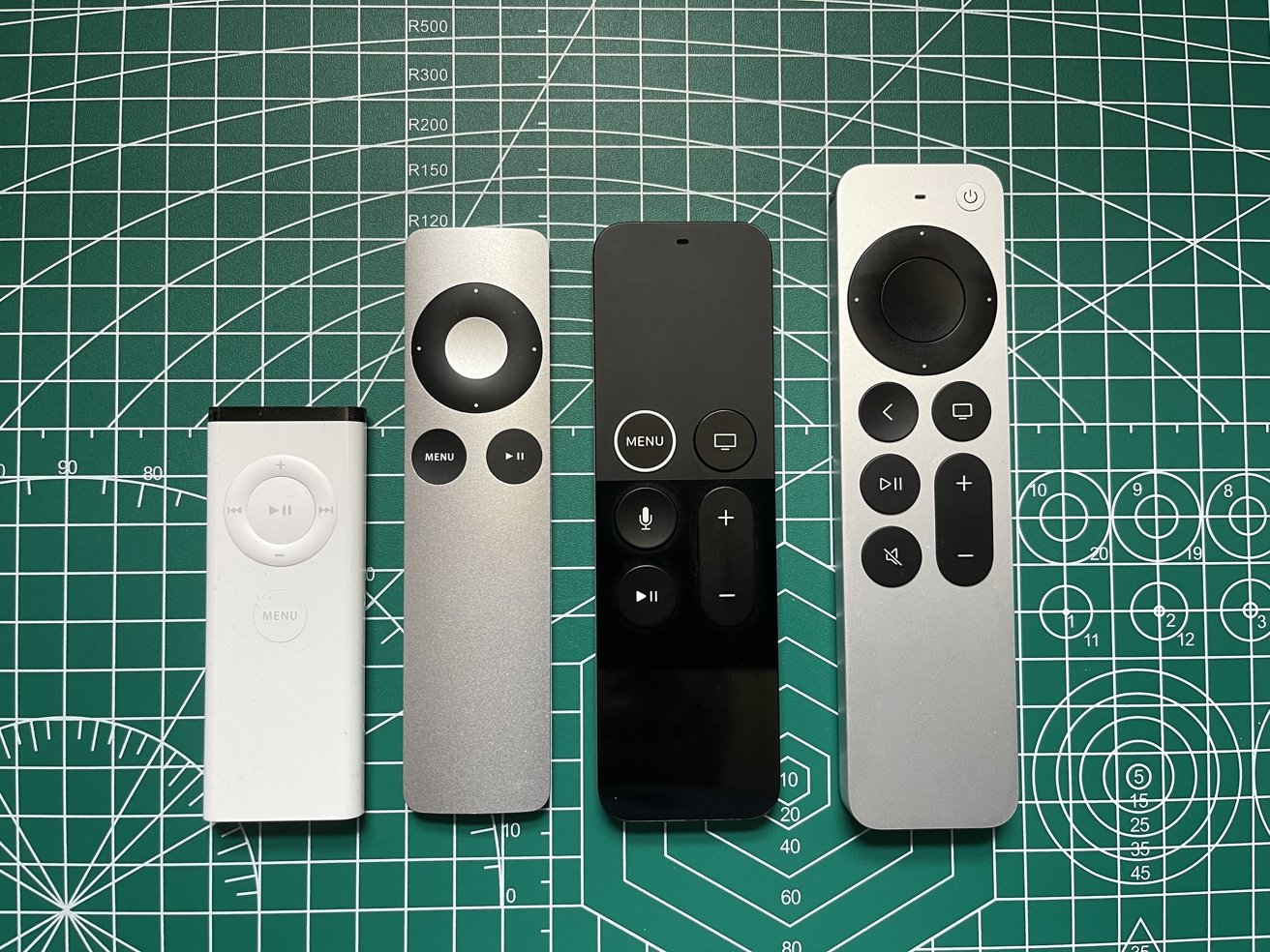
Classic Apple Remote
The Classic Apple Remote was Apple’s first remote control for Apple TV. It has a simple look and basic functions. Many users remember it for its ease and straightforward use. It helped users navigate Apple TV menus with a few buttons.
Design And Features
The remote is small and slim. It has a metal body with a white plastic front. The buttons include Menu, Play/Pause, and volume controls. There is a circular navigation button in the center. It uses infrared technology to connect to Apple TV. The remote runs on a coin cell battery that lasts for months.
Compatibility
The Classic Apple Remote works with early Apple TV models. It also controls some Mac computers and iPods with infrared receivers. It does not work with newer Apple TV models that use Bluetooth remotes. The remote is best for those who have older Apple devices.
Pros And Cons
Pros include its simple design and easy use. It is lightweight and fits well in hand. The battery life is long. Cons are limited buttons and no backlight. It only works with devices having infrared sensors. It lacks voice control and touch features.

Siri Remote
The Siri Remote is the official remote control for Apple TV. It offers easy navigation and voice commands. This remote helps you control your TV with simple taps and spoken instructions.
Apple designed it to be sleek and easy to hold. Its features make watching TV smooth and fun. Let’s explore what makes the Siri Remote special.
Touchpad And Voice Control
The Siri Remote has a touch-sensitive surface. You swipe or tap to move through menus quickly. This touchpad feels smooth under your fingers.
Voice control lets you speak to your Apple TV. Just press the Siri button and say what you want. Search for shows, control playback, or ask questions.
Battery Life
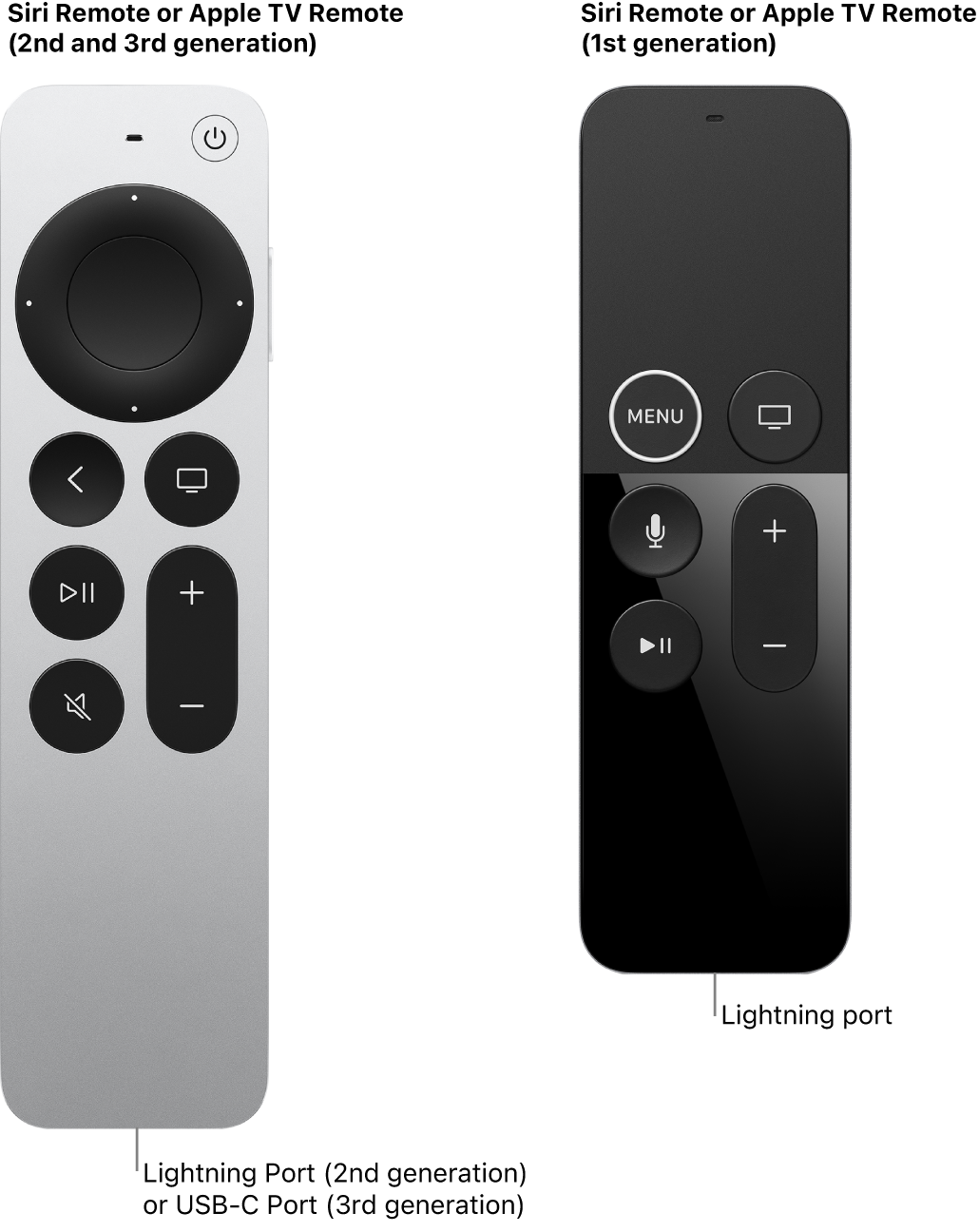
The Siri Remote uses a rechargeable battery. One charge can last about a month. Charging is simple with a Lightning cable.
This means fewer battery changes and less hassle. The remote stays ready for your next viewing session.
Device Compatibility
The Siri Remote works best with Apple TV 4K and Apple TV HD. It pairs easily through Bluetooth.
Some functions need the latest Apple TV models. Still, it controls basic TV features on many devices.
Apple Tv Remote (2nd Generation)
The Apple TV Remote (2nd Generation) offers a sleek design with improved features. It makes controlling your Apple TV simple and enjoyable. This remote fits well in your hand and responds quickly to commands.
It brings better control and ease to your TV experience. Let’s explore its key features to understand why it stands out.
Physical Buttons
The remote has a few essential buttons. A power button controls your TV and Apple TV. The volume buttons adjust sound easily. A dedicated mute button lets you silence the TV fast.
There is a back button for quick navigation. The Siri button activates voice control instantly. These buttons feel responsive and are spaced well for easy use.
Enhanced Navigation
The touch-enabled clickpad offers smooth navigation. It allows precise control with simple swipes and clicks. The circular ring lets you scroll through menus fast.
Clicking the center selects options quickly. The remote supports voice commands for hands-free control. This feature helps you search and open apps with ease.
Charging And Connectivity
The remote uses a built-in rechargeable battery. Charging is simple with a Lightning cable. One charge lasts for weeks with typical use.
It connects to Apple TV via Bluetooth. This connection is stable and does not need line of sight. You can control your device from across the room without interruptions.
Third-party Apple Tv Remotes
Third-party Apple TV remotes offer many choices beyond the official remote. They can fit different needs and budgets. These remotes often add special features or a new look. Many users prefer them for extra comfort or style. They work well with Apple TV and bring flexibility. Here, we explore popular brands, unique features, and price ranges.
Popular Brands
Several brands make third-party Apple TV remotes. Some well-known names are Satechi, Inteset, and Sideclick. Satechi remotes are sleek and easy to use. Inteset offers remotes with universal control options. Sideclick adds extra buttons to your existing remote. These brands focus on quality and compatibility. Their products suit different user preferences.
Unique Features
Third-party remotes often have unique features. Some include backlit buttons for use in the dark. Others offer programmable buttons for quick access. Many support voice control like the official remote. Some models have ergonomic designs for better grip. Extra features can improve navigation and ease of use. These options make the viewing experience smoother.
Price Range
Prices for third-party Apple TV remotes vary widely. Budget options start around $20 and offer basic functions. Mid-range remotes cost between $40 and $70 with added features. Premium models can go above $100 and include advanced controls. This range allows buyers to choose by need and wallet. Affordable choices still deliver good performance and value.
Remote Alternatives
Many users seek alternatives to the standard Apple TV remote. These options offer more flexibility and convenience. Choosing a remote alternative can improve your viewing experience. Different devices and technologies work well as substitutes.
Using Iphone As A Remote
Your iPhone can act as a remote for Apple TV. The Apple TV Remote app is built into the Control Center. It lets you navigate menus and control playback easily. Typing with the iPhone keyboard is faster than the Apple TV remote. The app also supports voice control through Siri.
Universal Remotes
Universal remotes work with many devices, including Apple TV. They reduce clutter by replacing multiple remotes. Some models have customizable buttons for Apple TV functions. These remotes often use infrared or Bluetooth to connect. Make sure the remote supports Apple TV before buying.
Voice Assistants Integration
Voice assistants like Siri, Alexa, and Google Assistant can control Apple TV. Siri works natively with Apple TV for easy commands. Alexa and Google Assistant require compatible smart home devices. You can play shows, search content, and control volume by voice. Voice control adds hands-free convenience to your setup.
Frequently Asked Questions
What Are The Main Types Of Apple Tv Remotes?
Apple TV remotes mainly include the Siri Remote and the Apple TV Remote. The Siri Remote has a touchpad and voice control. The Apple TV Remote is a simpler version without voice features.
How Does The Siri Remote Improve Apple Tv Use?
The Siri Remote lets you search using your voice. It also has a touch surface for easy navigation. This remote makes finding shows faster and simpler.
Can I Use Third-party Remotes With Apple Tv?
Yes, many third-party remotes work with Apple TV. They often use Bluetooth or infrared signals. Check compatibility before buying to ensure smooth use.
What Are The Differences Between Siri Remote Versions?
The first Siri Remote has a touchpad and microphone. The newer version adds a click wheel and better battery life. Both support voice commands but differ in design.
How Do I Replace A Lost Apple Tv Remote?
You can buy a new remote from Apple or other retailers. Using the Apple TV Remote app on your phone is another option. Pair the new remote by following on-screen instructions.
Conclusion
Apple TV remotes come in different types and styles. Each remote offers unique features for easy control. Choosing the right remote depends on your needs and budget. Some have touchpads, while others use buttons only. Voice control is available on newer models.
All remotes help navigate your Apple TV smoothly. Knowing the options makes your viewing better. Pick a remote that feels comfortable to use. Enjoy your Apple TV with the remote that suits you best.