
To mount a TV on a TV stand, you attach the stand’s VESA brackets to the back of your TV, then bolt the vertical mounting frame to the stand’s base. Once the frame is tight and level, lift the TV onto the brackets and lock it in place with the safety screws.
Always match the VESA pattern, use the correct screw length, and keep the stand on a flat surface so the TV stays stable and doesn’t wobble.
Prepare The Tv
Before mounting your TV on a TV stand, you must prepare the TV itself. This step ensures the TV is ready for secure attachment. It involves removing parts not needed for mounting and confirming compatibility with the mounting hardware.
Careful preparation helps avoid damage and makes the installation smoother. Follow these steps to get your TV ready.
Remove The Original Stand
Most TVs come with a stand to hold them on flat surfaces. This stand is not needed for mounting on a TV stand bracket. First, place the TV face down on a soft surface to prevent scratches.
Use a screwdriver to remove the screws holding the original stand. Keep these screws in case you want to reattach the stand later. Once removed, the back of the TV should be flat and ready for the new mount.
Check Vesa Compatibility
VESA is a standard pattern of screw holes on the back of your TV. It ensures the mount fits perfectly. Measure the distance between the holes horizontally and vertically in millimeters.
Check your TV stand or mounting bracket specifications to match these measurements. Using a mount that fits the VESA pattern prevents the TV from wobbling or falling. Confirm the weight limit of the mount also suits your TV’s weight.
Choose A Mount Type
Choosing the right mount type is key to securely placing your TV on a stand. The mount affects the TV’s stability and viewing angle. It also impacts the ease of installation. Understanding the options helps you pick what fits your space and TV size best.
Wall Mount Brackets
Wall mount brackets attach the TV directly to a wall behind the stand. They save space and create a clean look. These mounts come in fixed, tilting, and full-motion types. Fixed mounts hold the TV flat against the wall. Tilting mounts allow angle adjustments up or down. Full-motion mounts let you move the TV side to side and closer or farther from the wall.
Ensure the bracket matches your TV’s size and weight. Check the VESA pattern on the back of your TV. This pattern aligns with the bracket’s holes. Use strong screws and anchors for safety. Wall mounts keep the TV stable and free up space on the stand below.
Tabletop Stands With Mounts
Tabletop stands with mounts combine a base and mounting bracket. These stands sit on furniture like media consoles or desks. They offer stability without needing wall installation. The mount attaches to the stand and then to the TV’s back. This setup works well in rooms where wall mounting is not allowed or wanted.
These stands often have adjustable height and swivel features. They keep the TV secure and allow easy repositioning. Look for models that fit your TV’s weight and size. Check the base’s width to ensure it fits your furniture. Tabletop mounts give flexibility and keep your TV at a comfortable viewing level.
Gather Necessary Tools
Before mounting your TV on a stand, gather all the tools you need. Proper tools make the job easier and safer. Prepare everything to avoid interruptions during installation.
Screwdrivers And Drills
Use a Phillips screwdriver for most screws on the mount. A flathead screwdriver may also be useful for some parts. An electric drill speeds up the process and helps with tight screws. Make sure to have drill bits that fit the screws you will use. A drill with variable speed control works best for precision.
Mounting Hardware
Check the TV mount kit for all necessary screws, bolts, and washers. Use only hardware that fits your TV’s VESA pattern. Keep extra screws handy in case some get lost. The mounting bracket usually comes with the right bolts for your TV model. Inspect all hardware before starting to avoid missing pieces.
Attach The Mount To The Tv
Attaching the mount to the TV is a crucial step in the mounting process. It ensures your TV stays secure and stable on the stand. This step involves matching the mount with your TV’s mounting holes and fixing it tightly. Proper attachment prevents any wobbling or risk of the TV falling.
Start by preparing your TV and mount. Lay the TV face down on a soft surface to avoid scratches. Gather the screws and tools needed for the task. Follow the mount’s instructions for best results.
Align Mount With Vesa Holes
Most TVs use VESA mounting standards. Locate the four holes on the back of your TV. These holes are usually arranged in a square or rectangle pattern. Place the mount bracket over these holes. Make sure the holes on the mount line up perfectly with the TV’s holes. Proper alignment is key to a secure fit.
Secure Bracket With Screws
Use the screws provided with your mount or TV. Insert each screw into the aligned holes carefully. Tighten each screw by hand first to ensure they fit well. Then use a screwdriver to secure them firmly. Avoid over-tightening, which can damage the TV. Check that the bracket feels stable and does not move.
Secure The Mount On The Stand
Securing the mount on the TV stand ensures your television stays safe and stable. Proper attachment prevents wobbling or accidents. Take your time to fix the mount firmly. Follow simple steps for a secure setup.
Position The Mount On The Tv Stand
Place the mount where the TV will sit comfortably. Center it for balance and proper weight distribution. Check the stand’s surface for flatness. Avoid uneven spots that can cause instability. Align the mount holes with the stand’s holes or flat surface.
Use Screws Or Straps For Stability
Use screws that fit the mount and stand holes perfectly. Tighten screws firmly but do not over-tighten to avoid damage. If screws are not enough, add straps for extra security. Straps keep the mount from sliding or tipping. Double-check all connections before placing the TV on the mount.
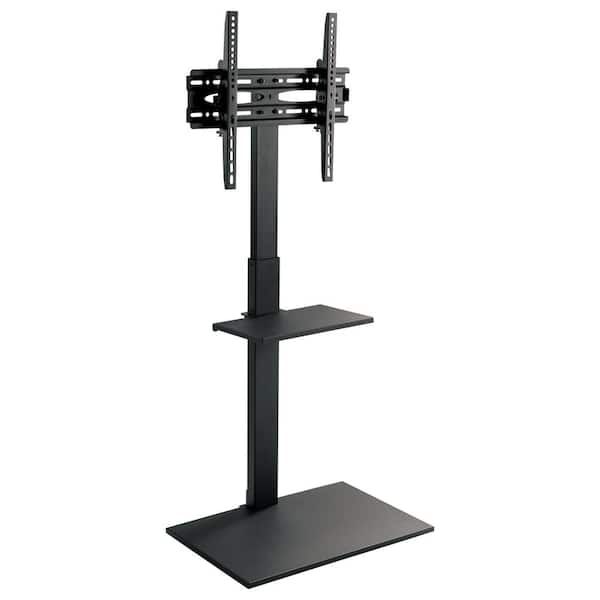
Credit: www.homedepot.com
Safety And Stability Checks
Ensuring safety and stability is vital when mounting a TV on a TV stand. A secure setup prevents accidents and protects your device. Checking the mount and using extra safety measures boosts confidence in your installation.
Simple steps can make your TV stand safe and steady. Always perform these checks before finishing the setup.
Test Mount Security
Check that the TV mount fits tightly to the stand. Gently shake the TV to see if it moves or wobbles. A firm mount will hold the TV steady without any give. Tighten screws if needed to improve stability.
Make sure the mounting brackets connect well with the TV’s VESA holes. Loose connections can cause the TV to fall. Confirm all bolts and screws are secure and correctly placed.
Use Anti-tip Straps
Anti-tip straps add an extra layer of safety. Attach them from the TV to the stand or wall. These straps keep the TV from tipping forward or falling during a bump.
Choose strong straps and follow instructions for proper installation. Check straps regularly for wear and replace if damaged. Using anti-tip straps is a simple way to prevent accidents.
Cable Management Tips
Managing cables neatly is key for a clean TV setup on your stand. Proper cable management improves the look of your space. It also prevents cables from tangling or getting damaged. Follow these simple tips to keep cables organized and safe.
Organize Cables Behind The Tv
Start by gathering all cables behind the TV. Use the TV stand’s back panel or built-in holes to route cables out of sight. Keep power cords separate from HDMI and audio cables to reduce interference. Arrange cables so they do not hang loosely or drag on the floor. This makes cleaning easier and keeps pets or kids safe from tripping.
Use Cable Ties Or Covers
Secure cables with reusable cable ties or Velcro straps to keep them bundled neatly. Avoid tight knots that can damage the wires. Use cable covers or sleeves to hide cables running along walls or floors. Choose covers that match your room’s color for a seamless look. Label cables near the plugs for easy identification and future changes.
Alternatives For Non-drill Mounting
Mounting a TV on a stand without drilling is ideal for renters or those avoiding wall damage. Several stylish and secure options exist. These alternatives hold your TV safely and keep your space neat. Explore popular choices below.
No-drill Pillar Stands
No-drill pillar stands use tension to stay in place. They fit between floor and ceiling, holding the TV firmly. These stands do not require screws or nails. They often include adjustable shelves for devices and accessories. Setup is quick and simple, with no damage to walls.
Floating Tv Stands
Floating TV stands attach to furniture or walls without drilling. They use strong adhesive pads or brackets. These stands give a modern, clean look by lifting the TV off surfaces. They save floor space and offer easy cable management. Ideal for smaller TVs or lightweight models.

Credit: www.youtube.com
Conclusion
Mounting a TV on a TV stand is simple with the right tools. First, remove the original stand carefully. Then, check your TV’s VESA pattern to find a matching mount. Choose between a wall mount or a tabletop stand with built-in brackets.
Follow the mount instructions step-by-step for a secure fit. Take your time to avoid mistakes and keep your TV safe. This setup keeps your space neat and your screen at a good height. Enjoy your TV with a clean, stable mount that fits your room perfectly.