
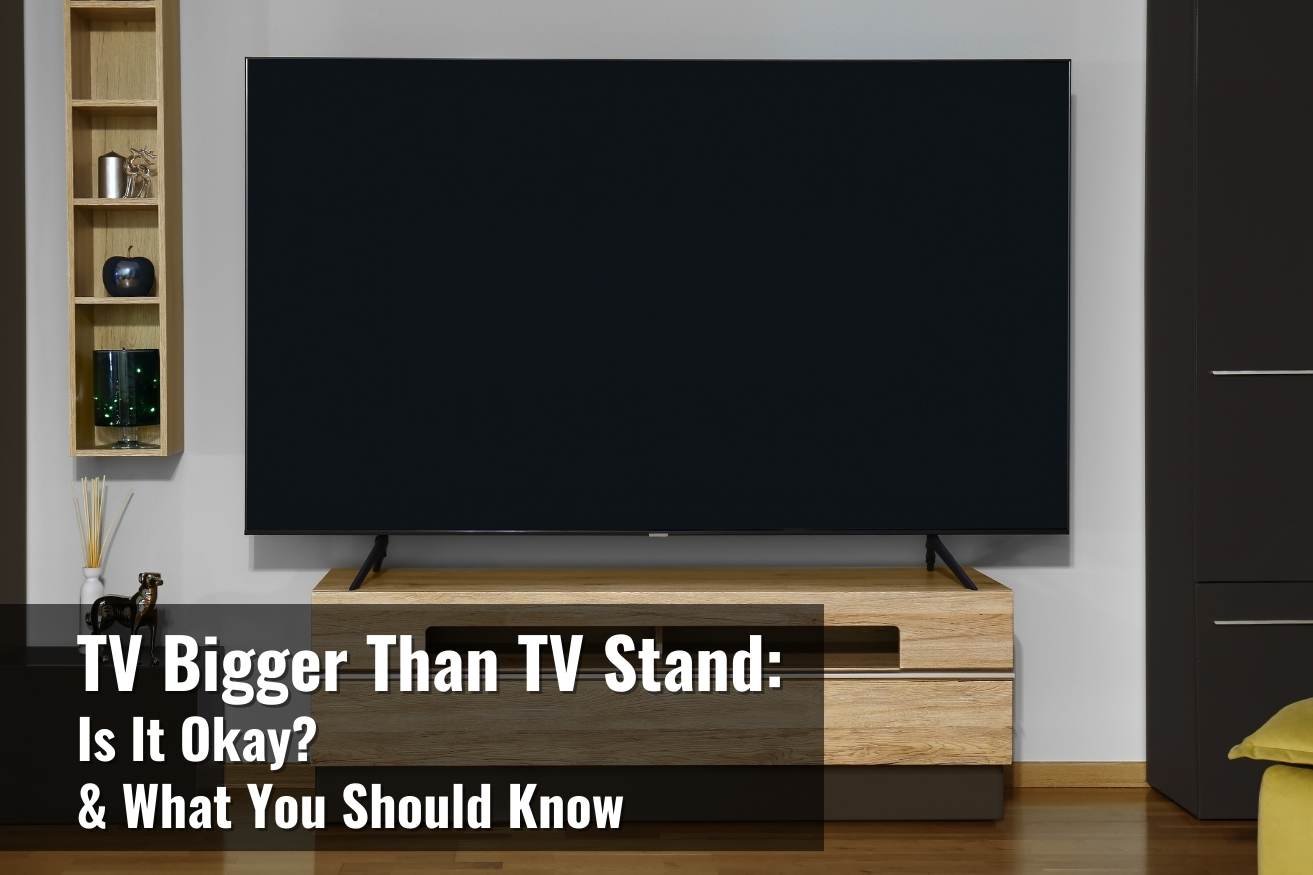
Yes, a TV stand should usually be wider than your TV for better stability and a balanced look. A good rule is to choose a stand that’s at least 2–6 inches wider on each side, so the TV doesn’t feel like it’s “hanging off” the edges. It also gives you space for a soundbar, consoles, and cable routing.
If the stand is narrower, make sure your TV’s base fits fully on it and the stand is sturdy enough to prevent tipping—especially with kids or pets around.
Importance Of Stand Width
The width of a TV stand plays a key role in both function and style. Choosing the right stand width affects your TV’s stability and the room’s overall look. A wider stand often offers more than just space. It creates a safer setup and helps organize your entertainment area.
Understanding why stand width matters helps you make a better choice. The following points explain the main benefits of picking a stand wider than your TV.
Stability And Safety
A stand wider than the TV provides better support. It stops the TV from tipping over easily. This is especially important in homes with kids or pets. A narrow stand can cause the TV to wobble or fall. A wider base reduces this risk and keeps your TV secure.
Visual Balance
Visual balance makes the TV setup look neat and pleasing. A stand that matches or is wider than the TV size creates harmony in the room. If the stand is too narrow, the TV may seem to hang over the edges. This looks awkward and unsteady. A wider stand gives a strong, balanced appearance.
Cable Management Benefits
A wider stand offers more room for cables and devices. It helps hide wires and keeps them organized. This prevents clutter and tangles behind or around the TV. Good cable management makes your setup look cleaner and easier to maintain. It also reduces the chance of cables getting damaged.
Risks Of A Smaller Stand
Choosing a TV stand smaller than your TV can cause several problems. The risks affect safety, appearance, and functionality. Understanding these risks helps you make a better choice for your living space.
Instability Hazards
A smaller stand may not support the TV properly. This creates a higher chance of the TV tipping over. It can be dangerous, especially in homes with children or pets. The TV may fall during minor bumps or shakes. Stability is crucial to keep your TV and family safe.
Unbalanced Appearance
A TV that hangs over the edges looks awkward. The setup feels uneven and unfinished. This affects the overall room design. A smaller stand makes the TV look like it does not fit. Visual balance matters for a neat and stylish space.
Difficult Cable Organization
Cables can become tangled or hard to reach. When the TV is bigger than the stand, wires may hang off the sides. This creates clutter and makes cleaning difficult. Proper cable management is harder with a smaller stand. It reduces the neatness and convenience of your entertainment area.
Choosing The Right Size
Picking the right size TV stand is key for safety and style. The stand must support your TV fully. It should also match your room’s layout and design.
A well-sized stand keeps your TV steady and looks balanced. It helps avoid accidents and clutter. Let’s explore how to find the perfect size for your TV stand.
Measuring Your Tv
Start by measuring your TV’s width at its widest point. Use a tape measure for accuracy. Note the height and depth too, if possible. These numbers help find a suitable stand size.
Calculating Ideal Stand Width
The stand should be wider than your TV for stability. Add at least 2 to 4 inches on each side of the TV’s width. This extra space prevents the TV from overhanging. It also provides room for devices like soundbars or consoles.
Considering Room Space
Think about the space where the stand will sit. Measure the wall or floor area available. Leave space around the stand to avoid crowding the room. A stand too large or too small can disrupt the room’s flow. Choose a size that fits comfortably in your living area.
Alternative Mounting Options
Choosing the right support for your TV matters a lot. Alternative mounting options offer flexibility and style. They help save space and improve safety. These options work well if your TV stand is too small or not wide enough. Exploring these choices can enhance your viewing setup without needing a wider stand.
Tabletop Mounts
Tabletop mounts attach directly to the TV’s screw holes. They replace the TV’s original legs with a sturdy base. This option often takes up less space than a traditional stand. Tabletop mounts provide solid support and reduce wobbling. They also allow easier cable management under the TV. Many mounts swivel or tilt for better viewing angles. Choose a tabletop mount that fits your TV’s size and weight. This setup can fit on smaller furniture safely and look neat.
Wall Mounting Solutions
Wall mounts free up floor space and give a modern look. They hold the TV firmly against the wall for safety. Wall mounting removes the need for a wide stand completely. Different types include fixed, tilting, and full-motion mounts. Fixed mounts keep the TV flat and close to the wall. Tilting mounts adjust the vertical angle to reduce glare. Full-motion mounts let you swivel and extend the TV for better views. Ensure your wall can support the TV’s weight before installing. Wall mounting also helps with cable hiding behind the TV. This option keeps your room tidy and stylish.
Enhancing Functionality
Choosing a TV stand wider than your TV improves its use and safety. It offers more room for items and supports the TV better. A wider stand also helps keep your media area neat and organized. This section explains how extra width enhances functionality in two key ways.
Space For Accessories
A wider TV stand creates extra space for accessories. You can place gaming consoles, DVD players, or streaming devices easily. It also leaves room for remotes and decorative items like plants or photo frames. This space makes your setup look clean and keeps accessories close at hand.
More surface area helps with cable management too. You can hide wires behind the stand without clutter. This neat appearance adds to a better viewing experience. A stand narrower than the TV limits what you can place around it.
Weight Capacity Considerations
Weight support is vital for TV safety. A wider stand usually has a stronger frame. It distributes the TV’s weight evenly to prevent tipping or damage. This is especially important for large, heavy TVs.
Check the stand’s weight limit before buying. Make sure it can hold the TV and any extra devices. Overloading a stand can cause it to break or become unstable. A wider stand often means better build quality and durability.

Credit: belleze.com
Design Tips For Media Units
Designing a media unit that fits well with your TV enhances the room’s look. Proper design brings balance and style. Follow simple tips to create a media unit that complements your TV size and room space. These tips help keep the setup safe and visually pleasing.
Maintaining Proportions
Choose a TV stand wider than your TV for stability and style. The stand should support the TV’s weight evenly. Avoid stands that are too narrow to prevent tipping risks. Keep the height of the stand balanced with the TV size for comfort. Proportions affect how the setup fills the room space. A well-proportioned unit looks tidy and intentional.
Using Decorative Elements
Add simple decorations to the media unit to boost style. Use small plants, books, or art pieces on the sides or shelves. These add personality without cluttering the space. Keep decorations low to avoid distraction from the TV. Choose colors and shapes that match the room’s theme. Decorative elements can soften the look and make the unit inviting.
Credit: www.reddit.com
Conclusion
Choosing a TV stand wider than your TV ensures stability and safety. It also creates a balanced, neat look in your room. A wider stand offers space for devices like soundbars and game consoles. Avoid smaller stands that risk tipping or look awkward.
Always check the stand’s weight limit before buying. This simple step protects your TV and enhances your viewing experience.