
Not all TV mounts are universal, but most are “universal” in the sense that they fit any TV with a matching VESA bolt pattern and weight rating. TVs use standard VESA hole spacing (like 200×200 or 400×400), so a mount works if it supports that size range and can handle your TV’s weight.
You also need the right wall type (studs or masonry) and enough clearance for ports and cables, especially with full-motion mounts.
Vesa Patterns And Compatibility
VESA patterns play a key role in TV mount compatibility. These patterns are standardized hole arrangements on the back of TVs. They tell you which mounts will fit your TV perfectly. Understanding VESA sizes helps avoid buying mounts that don’t match. It ensures a safe and secure mount for your TV.
Finding Your Tv’s Vesa Size
Locate the mounting holes on your TV’s back panel. Check the user manual or the manufacturer’s website for your TV model. It often lists the VESA pattern size. If not, measure the distance between the holes yourself. Measure horizontally from the center of the left hole to the right. Then, measure vertically from the top hole’s center to the bottom. The measurements are usually in millimeters. For example, a 200×200 VESA means 200 mm between holes horizontally and vertically.
Matching Mount Vesa Specifications
Choose a TV mount with the same VESA size as your TV. Some mounts support multiple VESA patterns. This flexibility makes them more universal. Make sure the mount supports your TV’s weight. Check the product details for maximum weight capacity. A mount that cannot hold your TV’s weight is unsafe. Also, consider the screen size range listed by the mount manufacturer. It helps confirm overall compatibility but is less important than VESA and weight limits.
Measuring Mounting Holes
Use a ruler or tape measure to get accurate hole distances. Measure from the center of one hole to the center of the opposite hole. Write down both horizontal and vertical measurements. Double-check the numbers for accuracy. These measurements correspond to the VESA pattern. Use these numbers to find a mount that matches exactly or supports a range including your size. Proper measurement prevents buying the wrong mount and ensures easy installation.
Weight Capacity And Screen Size
The weight capacity and screen size are crucial for choosing the right TV mount. Every mount has limits on how much weight it can hold. It also supports specific screen sizes for safe installation.
Ignoring these limits risks damage to the TV or wall. Proper matching ensures a secure and stable setup. Below are key points to consider when matching weight capacity and screen size.
Checking Tv Weight Limits
Find your TV’s weight in the user manual or online. Some manufacturers list weight on their websites. If unavailable, use a scale to weigh the TV carefully. Knowing the exact weight helps select a mount that can support it safely.
Mount Weight Ratings
Each mount shows a maximum weight rating. This rating is the heaviest TV it can hold. Choose a mount rated higher than your TV’s weight. This extra capacity adds safety and prevents strain on mounting hardware.
Screen Size Guidelines
Mounts often list compatible screen sizes. These sizes guide which TVs fit the mount’s design. Screen size is secondary to weight but still important. Use this guideline to ensure your TV fits correctly and looks balanced on the wall.
Types Of Tv Mounts
TV mounts come in different types to fit various needs and spaces. Knowing the types helps you pick the right mount for your TV and room setup. Each type offers unique features for viewing comfort and installation ease.
Fixed Mounts
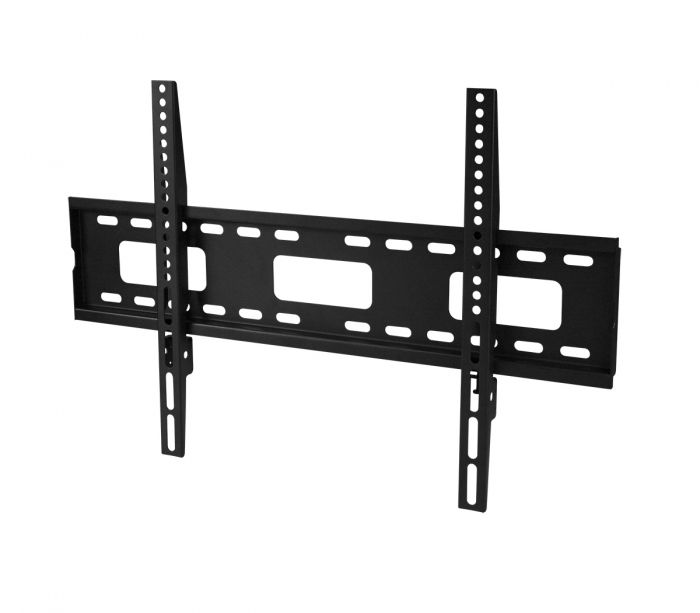
Fixed mounts hold your TV flat against the wall. They offer a slim, clean look. These mounts do not move or tilt. They are best for rooms where you watch TV from one spot. Fixed mounts are usually the easiest to install.
Tilting Mounts
Tilting mounts allow the TV to tilt up or down. This helps reduce glare from windows or lights. You can adjust the angle for better viewing. These mounts work well for TVs placed higher on the wall. They add a bit of flexibility while keeping the TV close to the wall.
Full-motion Mounts
Full-motion mounts let you move the TV in many ways. You can tilt, swivel, and pull the TV away from the wall. This type gives the most viewing options. It is ideal for rooms with multiple seating areas. Full-motion mounts usually cost more and need stronger wall support.
Adjustability And Safety Features
Adjustability and safety features are key when choosing a TV mount. They affect how well the TV fits your space and how secure it stays on the wall. A good mount allows easy positioning and strong support.
These features help you get the best viewing angle. They also protect your TV and your wall from damage. Understanding these aspects can guide you to the right mount for your TV.
Horizontal And Vertical Adjustments
Most TV mounts allow horizontal and vertical movement. Horizontal adjustment means you can slide the TV left or right. Vertical adjustment lets you tilt the TV up or down.
This flexibility helps reduce glare and improve comfort. Some mounts also offer swivel options. This means you can turn the TV side to side for better viewing.
Safety Considerations
Safety is crucial for TV mounts. The mount must hold the TV firmly without risk of falling. Check the weight limit and size compatibility before buying.
Proper installation also matters. Use the right tools and follow instructions carefully. A secure mount keeps children and pets safe from accidents.
Secure Bolt And Hardware Requirements
Strong bolts and hardware keep the TV mount stable. Use the screws and anchors that come with the mount. These parts match the mount’s design for safety.
Make sure the bolts fit your wall type. For drywall, use special anchors to support the weight. Tighten all bolts firmly but avoid over-tightening.
Using Old Mounts For New Tvs
Using old TV mounts for new TVs might save money and effort. But not all mounts fit every TV model. You must check if your old mount matches the new TV’s specifications. This helps avoid damage and ensures safe installation.
Checking Compatibility
First, find your new TV’s VESA pattern. This is the distance between mounting holes on the back of the TV. Measure horizontal and vertical distances in millimeters. Compare these to your old mount’s VESA pattern. They must match exactly or be compatible. Also, check that the mounting style fits your wall and room setup.
Weight And Pattern Matching
Check the weight of your new TV. The mount must support this weight safely. If the TV is heavier than the mount’s limit, do not use the old mount. Also, the hole pattern on the mount must fit the TV’s mounting holes. A mismatch can cause loose or unsafe mounting. Always follow the mount manufacturer’s guidelines.
When To Upgrade Your Mount
Upgrade your mount when it does not support your new TV’s size or weight. Also upgrade if the VESA pattern differs. Old mounts may lack modern features like tilt or swivel. A new mount can improve viewing comfort and safety. Always prioritize proper fit and secure installation over saving cost.

Credit: www.standsandmounts.com
Common Mounting Mistakes
Mounting a TV may seem simple, but many make avoidable mistakes. These errors can damage your TV or cause unsafe setups. Understanding common mounting mistakes helps ensure a secure and lasting installation.
Ignoring Weight Limits
Every TV mount has a weight limit. Exceeding this limit risks the mount breaking or falling. Always check your TV’s weight before buying a mount. Choose a mount with a weight capacity above your TV’s weight. This keeps your TV safe and stable on the wall.
Incorrect Vesa Pattern Selection
The VESA pattern is the distance between mounting holes on the TV’s back. Mounts fit only specific VESA patterns. Using the wrong pattern means the mount won’t align properly. Measure your TV’s VESA size or check the manual. Pick a mount that matches or supports your TV’s VESA pattern exactly.
Improper Installation
Improper installation causes unstable mounts and safety hazards. Use the right tools and follow instructions carefully. Secure the mount to studs or strong anchors, never just drywall. Tighten screws fully but avoid over-tightening. Double-check the mount’s stability before hanging your TV.
Credit: www.siig.com
Conclusion
Not all TV mounts fit every TV. Match the VESA pattern carefully. Check the mount’s weight limit against your TV’s weight. Screen size helps but is less crucial. Measuring mounting holes ensures proper fit. Using the right mount keeps your TV secure.
Take time to verify details before buying. This avoids damage and poor installation. Choose a mount that suits your TV’s specs. Simple checks make mounting easier and safer.