
Most flat screen TV wall mounts are “universal,” meaning they fit any TV with a matching VESA hole pattern and a weight within the mount’s rating—but they’re not one-size-fits-all. TVs use different VESA sizes (like 200×200 or 600×400), so the mount must support your TV’s spacing, screen size, and weight.
You also need the correct screw length and sometimes spacers for recessed backs. If those match, the mount will work even across different brands.
Vesa Standard
The VESA standard is a key factor in choosing the right wall mount for your flat screen TV. It defines the size and position of the mounting holes on the back of the TV. This standard helps ensure compatibility between TVs and mounts. Understanding VESA makes mounting your TV easier and safer.
What Is Vesa?
VESA stands for Video Electronics Standards Association. It sets rules for mounting hole patterns on TVs and monitors. These patterns tell you where the holes are spaced on the back of your TV. Most flat screen TVs follow the VESA standard. This makes finding a matching wall mount simpler.
Common Vesa Patterns
VESA patterns are shown in millimeters, like 200×200 or 400×400. The first number is the horizontal distance between holes. The second number is the vertical distance. Smaller TVs often have 100×100 or 200×200 patterns. Larger TVs usually have 400×400 or bigger. Knowing your TV’s VESA size helps pick the right mount.
Why Vesa Matters
VESA ensures your TV fits securely on a wall mount. Without matching VESA patterns, the mount won’t line up with your TV’s holes. This can cause unsafe installation or damage. Using a mount with the correct VESA size supports your TV’s weight. It also keeps your TV steady and level on the wall.

Credit: www.walmart.com
Measuring Your Tv
Measuring your TV correctly is the first step to find the right wall mount. Accurate measurements ensure the mount fits your TV securely. This process involves locating the mounting holes and checking the distances between them. It also helps to verify information from your TV’s manual or manufacturer. Taking these steps prevents mistakes and ensures a perfect fit for your flat screen TV.
Finding Mounting Holes
Most flat screen TVs have mounting holes on the back. These holes are often arranged in a square or rectangular pattern. Look for four small holes near the center of the back panel. Sometimes, plastic covers hide these holes. Gently remove any covers to access the holes. These holes are where the wall mount will attach.
Measuring Horizontal And Vertical Distances
Use a tape measure to find the distance between the mounting holes. Measure horizontally from the center of the left hole to the center of the right hole. Next, measure vertically from the center of the top hole to the center of the bottom hole. These two numbers form your TV’s VESA pattern. Write down these measurements carefully for reference.
Checking Tv Manual And Manufacturer Info
Your TV manual usually lists the VESA pattern and mounting details. Check the specifications section for this information. The manufacturer’s website also provides exact measurements and mounting guidelines. Confirm the weight of your TV as well. This helps in choosing a mount that supports your TV safely. Always double-check these details before buying a wall mount.
Matching Wall Mounts
Matching the right wall mount to your flat screen TV is crucial for a secure fit. Not all mounts fit every TV. Choosing the correct mount ensures safety and ease of use.
Several factors influence compatibility. These include the mounting pattern, weight capacity, and TV size. Understanding these helps you pick the perfect wall mount.
Checking Vesa Compatibility
VESA is a standard that defines the mounting hole pattern on the back of TVs. Measure the distance between the holes horizontally and vertically in millimeters. The wall mount must support this VESA pattern.
Check your TV’s manual or look at the back panel for this pattern. Also, verify the mount’s specifications to ensure it matches your TV’s VESA size.
Verifying Weight Limits
Every wall mount has a maximum weight capacity. Your TV must weigh less than this limit for safe mounting. This prevents the mount from bending or falling.
Find your TV’s weight in the manual or on the manufacturer’s website. Compare it with the mount’s weight limit before buying.
Considering Tv Size And Type
Wall mounts come in various sizes designed for specific TV dimensions. Match the mount to your TV’s screen size range. This ensures proper support and stability.
Also, consider your TV type. Some mounts are made for flat TVs only, while others support curved screens. Choose a mount that fits your TV style.

Credit: www.amazon.com
Universal Mounts And Adaptability
Universal mounts offer a flexible solution for mounting flat screen TVs. They fit many TV models by adjusting to different sizes and hole patterns. This adaptability makes them popular for home and office use. Understanding how universal mounts work helps in choosing the right one for your TV.
What Makes A Mount Universal?
A universal mount fits multiple TV brands and sizes. It supports common VESA patterns, the standard hole arrangements on TV backs. The mount’s design allows adjustments to fit different hole distances. It also supports a range of TV weights to ensure safety.
Adapters And Adjustable Patterns
Many universal mounts include adapters to cover more TVs. These adapters fill gaps between mounting holes or extend the pattern range. Adjustable arms or brackets slide to match the TV’s holes. This feature increases the number of TVs that the mount fits.
Limitations Of Universal Mounts
Universal mounts do not fit every TV perfectly. Some large or very small TVs may not match the mount’s range. Heavy TVs require mounts with higher weight limits. Also, curved or unique TV designs might not work well with universal mounts.
When Patterns Don’t Match
Sometimes, the mounting holes on your flat screen TV do not match the wall mount pattern. This mismatch can cause frustration and confusion. Not all mounts fit every TV, even if they look similar. Understanding what to do when patterns don’t match helps you avoid damage and wasted time. Here are some ways to handle this issue.
Finding Alternative Mounts
Some wall mounts support a wide range of VESA patterns. These mounts have adjustable hole positions. You can move the brackets to fit your TV’s holes. Check the product details for compatible sizes. This option saves money and effort by avoiding a new mount purchase.
Using Adapter Plates
Adapter plates are metal pieces that connect different VESA patterns. They attach to your mount and create new mounting points. Adapter plates make mismatched patterns compatible. Ensure the adapter supports your TV’s weight. This method is simple and keeps your current mount.
Upgrading To New Mounts
Older mounts may not fit newer TV models. Upgrading to a modern mount ensures perfect alignment. New mounts often support more sizes and heavier TVs. They provide better safety and stability. Choose a mount that matches your TV’s VESA pattern exactly.
Special Considerations
Choosing the right wall mount for your flat screen TV requires attention to several special factors. Not all mounts fit every TV perfectly. Some TVs have unique shapes or sizes. The wall material also affects installation. Considering these points helps ensure a secure and stable setup.
Mounting Curved Tvs
Curved TVs need mounts designed to hold their shape. Flat mounts may not fit well or cause stress on the screen. Look for mounts with adjustable arms that can follow the curve. This keeps the TV stable and avoids damage. Always check the mount’s specifications for curved TV support.
Older Vs Newer Tv Models
Older TVs often have different mounting hole patterns than newer models. The standard VESA patterns might not match. Some older TVs are heavier and need stronger mounts. Newer models usually have standard VESA sizes but may be slimmer and lighter. Verify the mount’s compatibility with your TV’s model and weight before buying.
Wall Type And Installation
The type of wall affects how you install your TV mount. Drywall may need anchors or mounting directly into studs. Concrete or brick walls require special drill bits and anchors. Make sure the mount comes with hardware suitable for your wall type. Incorrect installation can cause the TV to fall and damage the wall.
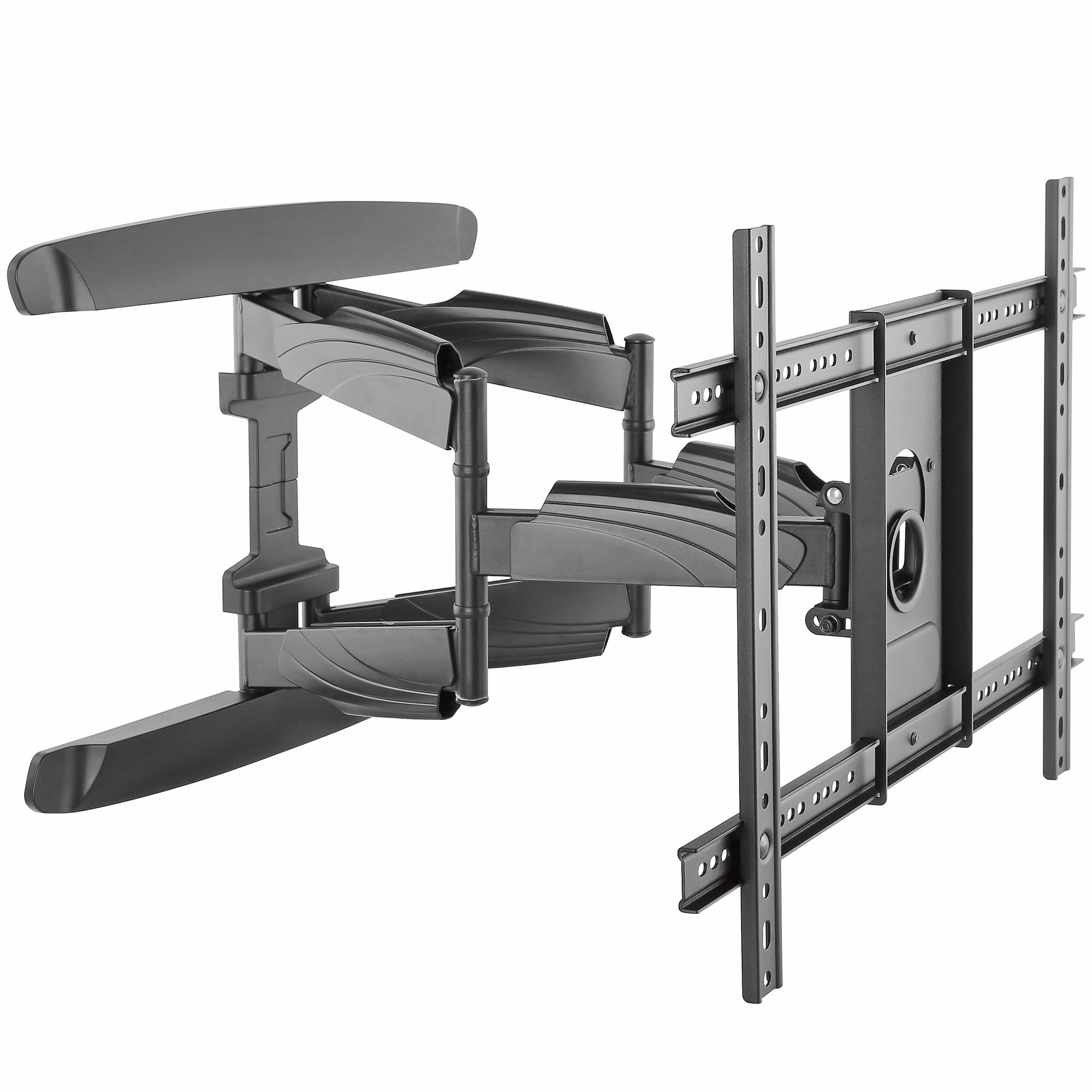
Credit: www.startech.com
Conclusion
Flat screen TV wall mounts are not always universal. Check your TV’s VESA pattern before buying. Measure the mounting holes or check the manual. Confirm the mount supports your TV’s weight safely. Some mounts fit multiple patterns but verify first.
Using the wrong mount can cause damage or accidents. Choose a mount that matches both size and weight needs. This keeps your TV secure and your wall safe. Simple steps help avoid costly mistakes and ensure a perfect fit.