
Yes, house-wiring TV antennas can be workable, but only if your home’s coax wiring is in good shape and set up correctly. An indoor or attic antenna can feed through existing coax lines to multiple TVs, but splitters, old cables, or powered amplifiers can weaken or block the signal.
For the best results, connect the antenna to the main coax entry point, bypass any unused splitters, and run a fresh channel scan on each TV.
Basics Of House Wiring
Understanding the basics of house wiring helps to know how TV antennas connect to your home. Wiring carries electrical signals that power devices and transmit data. A clear grasp of wiring types and standards ensures safe and effective installations.
House wiring systems have specific layouts and use certain materials. These details affect how well a TV antenna works when connected through the wiring in your home.
Types Of Wiring Used In Homes
Homes use different wiring types depending on the purpose. Common types include NM cable, often called Romex, and conduit wiring. Romex is popular for indoor use due to its ease of installation. Conduit wiring protects wires in areas prone to damage or moisture. Some homes also use coaxial cables for TV and internet signals.
Common Wiring Materials
Copper is the most common material in home wiring. It conducts electricity well and resists corrosion. Aluminum wiring exists but is less common due to safety concerns. Insulation covers wires to prevent electrical shocks. Materials like PVC or rubber protect wires from heat and moisture.
Wiring Layouts And Standards
Wiring layouts follow building codes and safety standards. These rules guide wire placement and connections. Proper layout avoids electrical hazards and signal loss. Color codes help identify wire functions, such as live, neutral, or ground. Following standards ensures wiring works safely with devices like TV antennas.
How Tv Antennas Connect To Wiring
Understanding how TV antennas connect to your home wiring is key to getting good signal quality. The antenna picks up broadcast signals from outside. These signals must travel through cables and wiring to reach your TV set. Proper connections ensure clear picture and sound without interruptions.
House wiring can carry antenna signals to different rooms. This setup lets you watch TV from multiple locations. Each part of the connection plays a specific role. Let’s explore how antenna signals move through your home wiring system.
Antenna Signal Transmission
The antenna captures signals sent by TV stations. These signals are radio waves carrying audio and video information. The antenna converts these waves into electrical signals. These signals travel through cables toward your TV. Strong signals mean better picture and sound quality.
Coaxial Cable Role
Coaxial cables carry signals from the antenna to your home wiring. These cables protect signals from interference and loss. They have a central wire surrounded by insulation and shielding. This design helps keep the signal strong and clear. Coaxial cables are standard for TV antenna connections.
Connection Points In The Home
The antenna cable connects to a wall plate or splitter inside the house. Splitters allow one antenna to feed signals to multiple TVs. Wall plates connect coaxial cables to your TV or set-top box. Proper connectors and good cable condition avoid signal drops. Each connection point must be secure and clean for best results.
Feasibility Of Using House Wiring For Antennas
Using house wiring as a TV antenna is an idea some people consider to save money. The wiring inside walls might catch TV signals without extra equipment. This method’s success depends on several factors. Understanding these can help decide if house wiring works for antennas.
Signal Quality Considerations
House wiring is not designed to receive TV signals. The wires often carry electric noise that lowers signal quality. Signals may be weak or have many interruptions. Distance from broadcast towers also affects quality. Sometimes, the wiring picks up only a few channels clearly.
Potential Interference Issues
Electric devices in the home create interference on house wiring. Lights, fans, and appliances all produce noise. This noise mixes with TV signals and causes static or loss. Wiring layout may pick up signals from other sources, confusing the TV. Shielding and grounding are usually missing, which worsens interference.
Compatibility With Existing Systems
Most TVs need a proper antenna connection, not just any wire. House wiring often lacks the right connectors or impedance. Some systems require a signal amplifier to work with wiring antennas. Using house wiring may need extra adapters or equipment. Not all setups will support this method effectively.

Credit: www.amazon.com
Installation Tips For Wiring Tv Antennas
Installing a TV antenna wiring system in your house can seem tricky. Proper installation ensures clear signal reception and long-lasting performance. Follow these simple tips to set up your TV antenna wiring with confidence.
Selecting The Right Cable
Choose coaxial cable designed for TV antennas. RG6 cables work best for most homes. They offer better shielding and less signal loss. Avoid using old or damaged cables. Check cable length before buying. Longer cables may weaken the signal.
Proper Grounding Techniques
Grounding protects your antenna and house from electrical surges. Connect a grounding block to the coax cable near the antenna. Attach the block to a grounding rod or metal water pipe. Make sure connections are tight and secure. Proper grounding improves safety and signal quality.
Avoiding Signal Loss
Keep cable runs as short as possible. Use quality connectors to prevent signal leaks. Avoid sharp bends or kinks in the cable. Splitters can reduce signal strength. Use them only when necessary and select high-quality splitters. Check connections regularly to maintain good signal strength.
Alternatives To House Wiring For Tv Antennas
House wiring is not always the best option for TV antennas. It can be tricky, cause signal loss, or need extra work. Many people want easier ways to get good TV signals without rewiring their homes. Several alternatives can help improve TV reception without relying on old house wiring.
These options offer better signal quality and flexibility. They work well in different home setups. Choosing the right alternative depends on your needs and budget. Here are some common alternatives that many find helpful.
Wireless Signal Boosters
Wireless signal boosters increase the strength of TV signals. They catch weak signals and make them stronger. You place the booster near the antenna or TV. It helps to reduce signal drops and improve picture quality. Boosters are easy to install and do not need cables. They suit homes with poor signal areas or thick walls.
Dedicated Antenna Lines
Dedicated antenna lines are separate cables just for TV signals. These lines run from the antenna to the TV directly. They avoid interference from other wiring in the house. This setup gives clearer and more stable signals. Installing dedicated lines may need professional help. It is a good choice for those wanting high-quality TV reception.
Using Powerline Adapters
Powerline adapters use your home’s electrical wiring to send TV signals. You plug one adapter near the antenna and another near the TV. The signal travels through the power cables without new wiring. This method is simple and uses existing infrastructure. It works well in homes where running new cables is hard. Powerline adapters offer a neat and effective TV antenna solution.
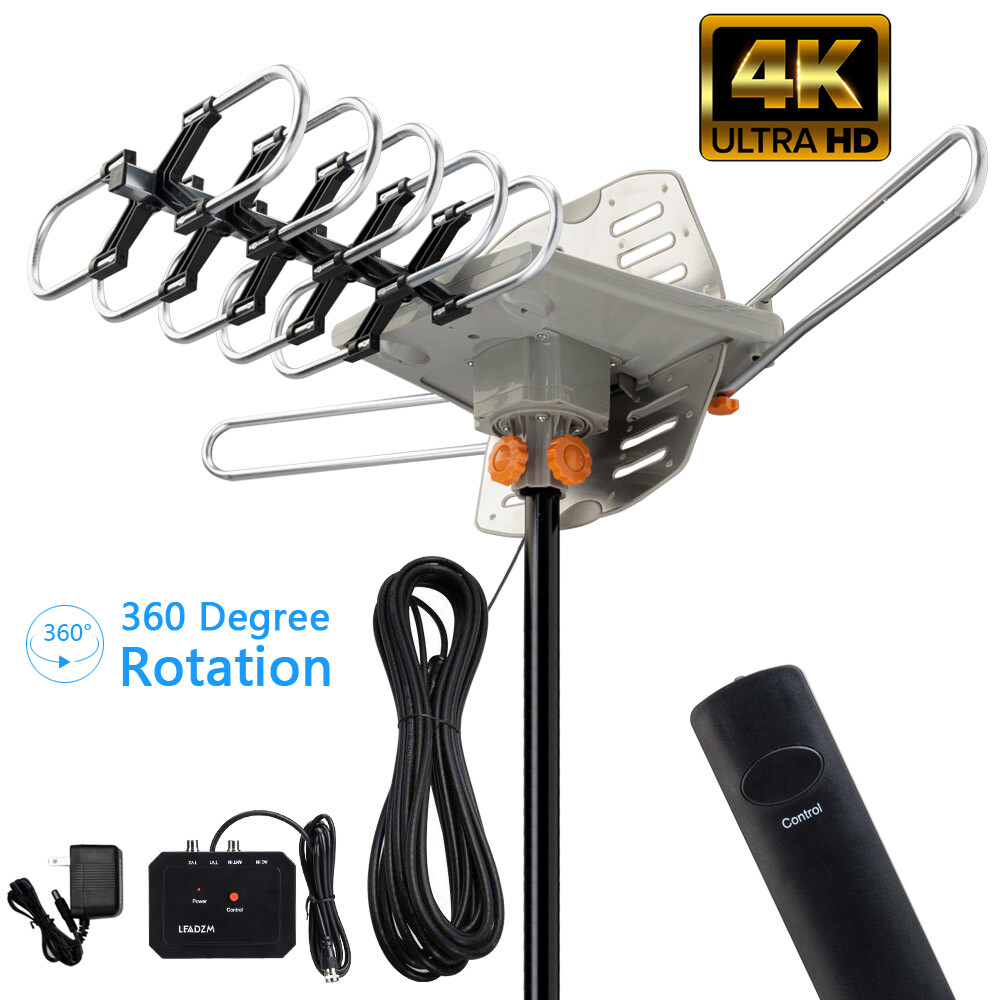
Credit: www.ebay.com
Troubleshooting Common Problems
Troubleshooting common problems with house wiring TV antennas can save time and frustration. Many issues cause weak or no signal, cable damage, or interference. Understanding these problems helps fix your antenna setup quickly. This section covers easy steps to identify and solve typical antenna problems.
Weak Or No Signal Issues
Weak or no signal is a frequent problem. Check if the antenna is properly connected to the TV. Make sure the antenna points toward the broadcast towers. Walls and large objects can block signals. Try moving the antenna to a higher spot. Sometimes, bad weather affects the signal. Resetting the TV or antenna receiver may help too.
Cable Damage And Repair
Cables carry the signal from the antenna to the TV. Damaged cables cause poor signal or no picture. Look for cuts, bends, or worn areas on the cable. Replace any damaged cable with a new one. Use cable clips to avoid sharp bends. Keep cables away from heat sources and water. Proper cable care improves antenna performance.
Interference From Other Devices
Other electronic devices can interfere with TV signals. Devices like microwaves, routers, and cordless phones create noise. Keep these devices away from the antenna and TV cables. Turn off nearby devices one by one to find the source. Use shielded cables to reduce interference. Reducing interference improves picture and sound quality.

Credit: www.ebay.com
Conclusion
House wiring TV antennas can work well in many homes. Signal strength depends on wiring quality and antenna type. Sometimes, old wires may cause weak reception or interference. Testing the setup helps find any problems fast. Proper installation improves picture and sound quality.
Many people save money using existing wiring for antennas. It’s a practical choice for basic TV needs. Try simple checks before buying new equipment. Clear signals make TV watching more enjoyable and easy.