
Are you tired of blurry pictures and constant signal drops on your TV? You’re not alone.
A weak antenna signal can turn your favorite shows into frustrating experiences. But the good news is, you don’t need expensive equipment or a technician to fix it. With a few simple steps, you can boost your TV antenna signal and enjoy clear, crisp channels right away.
Keep reading, and you’ll discover easy tips that make a big difference—helping you watch your favorite programs without interruption.
:max_bytes(150000):strip_icc()/amplify-digital-tv-signal-3276115-c51983bec9ea4ec0ad0d447a52cfdc6a.png "How to Improve My Tv Antenna Signal 1")
Credit: www.lifewire.com
Check Antenna Position
Checking your TV antenna position is a key step to improve signal quality. Small changes in placement can make a big difference in picture clarity. This section will guide you on how to find the best antenna direction, adjust its height, and avoid obstacles that block signals.
Find The Best Direction
Point your antenna toward the nearest broadcast towers. You can find tower locations online by entering your zip code. Slowly rotate the antenna and watch your TV signal strength. Stop when you get the clearest picture and strongest signal. Sometimes, a slight turn can improve reception a lot.
Adjust Antenna Height
Raising your antenna often helps catch better signals. Signals travel in straight lines, so higher placement avoids ground interference. Try moving your antenna up step by step. Each small lift can boost your TV reception quality. Use a sturdy mount or pole to keep it steady.
Avoid Obstructions
Keep your antenna clear of walls, trees, and large metal objects. These block or weaken TV signals. Check for any obstacles between your antenna and broadcast towers. Moving the antenna to a window or rooftop can reduce interference. Clear line of sight means stronger and more stable reception.
Use Quality Equipment
Using quality equipment is key to improving your TV antenna signal. Good tools catch signals better and last longer. Cheap or old parts can weaken the signal and cause frustration.
Investing in the right gear helps your antenna work at its best. Small upgrades often make a big difference in picture clarity and sound. Focus on the antenna type and the cables for the best results.
Choose The Right Antenna Type
Select an antenna that fits your location and needs. Indoor antennas suit areas near broadcast towers. Outdoor antennas work better in distant places. Directional antennas pick signals from one direction. Omnidirectional antennas catch signals from all sides.
Check the frequency bands your channels use. Some antennas support both VHF and UHF bands. This ensures you receive more channels without signal loss.
Upgrade Cables And Connectors
Use high-quality coaxial cables to reduce signal loss. Cheap cables often have poor shielding and cause interference. Thick cables with solid shielding protect the signal better.
Replace old or damaged connectors with new ones. Loose or corroded connectors weaken the signal. Tight, clean connections keep the signal strong and stable.
Enhance Signal Strength
Enhancing your TV antenna signal strength can improve your viewing experience. A stronger signal means clearer picture and sound. Simple tools and adjustments can boost your antenna’s performance. Focus on two effective ways to enhance signal strength below.
Install A Signal Amplifier
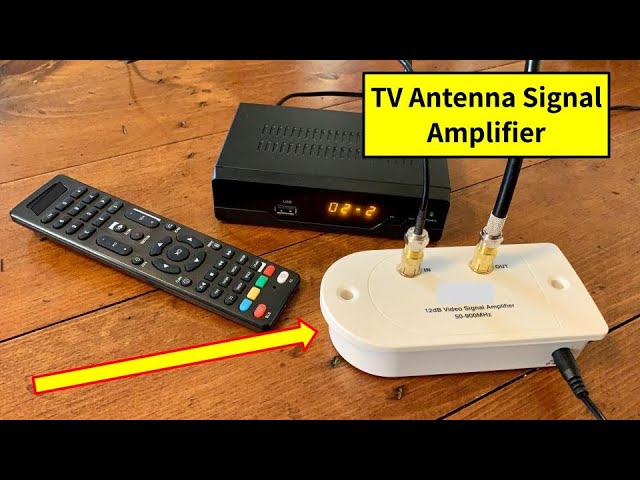
A signal amplifier increases the strength of weak signals. It is a small device placed near your antenna. The amplifier boosts the signal before it reaches your TV. This reduces picture fuzziness and cuts down on signal loss. Choose an amplifier that matches your antenna type and signal needs.
Use A Signal Booster
A signal booster helps when signals travel long distances. It strengthens the signal along the cable line. This tool works well in areas with many obstructions. Install the booster between the antenna and the TV. This setup helps keep the signal strong and steady.
Optimize Indoor Setup
Optimizing your indoor TV antenna setup can greatly improve signal quality. Small changes in antenna placement and environment can reduce signal loss. Focus on positioning and minimizing interference to get clearer channels.
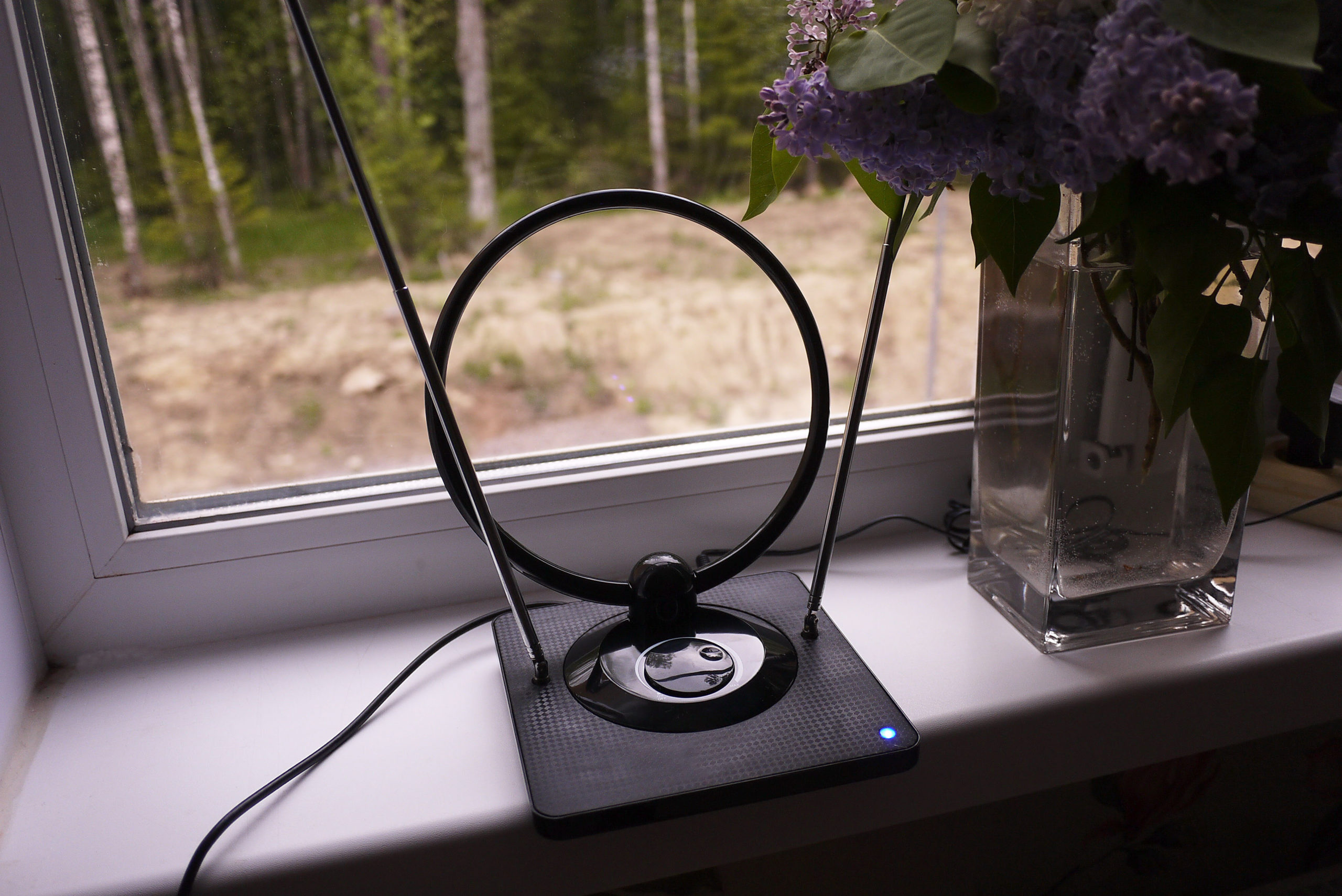
Place Antenna Near Windows
Windows offer less obstruction for TV signals than walls. Place your antenna close to a window facing the broadcast towers. Avoid metal window frames or tinted glass, as they can block signals. Higher placement near the window also helps capture better signals.
Reduce Interference From Electronics
Electronics like routers, cordless phones, and microwaves emit signals that interfere with TV reception. Keep your antenna away from these devices. Turn off or move electronics that cause noise during TV use. Using shielded cables can also reduce interference for clearer pictures.
Perform Regular Maintenance
Regular maintenance keeps your TV antenna working well. Dirt, rust, and damage can reduce signal strength. Small checks and cleaning help keep clear reception. Spend time on your antenna every few months. It improves picture and sound quality.
Clean Antenna Components
Remove dirt and dust from the antenna parts. Use a soft cloth or brush for cleaning. Dirt blocks the signal from reaching your TV. Clean metal parts carefully to avoid scratches. Avoid water on electrical parts to prevent damage. Clean connections for better signal flow.
Check For Damage Or Wear
Look for broken or bent elements on the antenna. Rust can weaken metal parts and reduce signal. Check cables for cracks or loose connections. Replace damaged parts quickly to avoid signal loss. Tighten screws and bolts to keep the antenna steady. A sturdy antenna catches signals better.
Credit: www.thefreetvproject.org
Use Signal Apps And Tools
Using signal apps and tools can help improve your TV antenna reception. These tools show where broadcast towers are. They help check your signal strength. This information guides antenna placement and adjustment.
Find Local Broadcast Towers
Apps can locate nearby broadcast towers. They use your address or zip code. Knowing tower locations helps point your antenna correctly. Aim the antenna toward the strongest towers for better signal.
Test Signal Quality
Signal testing apps measure your antenna’s reception. They display signal strength and quality. Use these apps while moving or adjusting the antenna. This helps find the best position for clear channels.
Credit: www.youtube.com
Conclusion
Improving your TV antenna signal is easier than you think. Small changes can make a big difference. Try adjusting the antenna direction for clearer reception. Keep the antenna away from walls and metal objects. Use quality cables to reduce signal loss.
Check for obstacles like trees or buildings near your antenna. Regularly clean your antenna to avoid dirt buildup. Test different antenna heights to find the best spot. Clear, strong signals bring better picture and sound. Follow these simple steps to enjoy your favorite shows without interruption.