
Are you tired of paying for cable but still want clear, free TV channels? Installing a digital TV antenna might be the perfect solution for you.
It’s easier than you think, and once set up, you can enjoy crisp, high-quality broadcasts without monthly bills. In this guide, you’ll discover simple steps to install your antenna quickly and get the best signal possible. Keep reading, and you’ll be watching your favorite shows in no time!

Credit: www.amazon.com
Choosing The Right Antenna
Choosing the right digital TV antenna is key for good reception. The right antenna helps you get clear channels without interruptions. This choice depends on several factors like your location and the type of TV channels you want. Understanding the types, placement options, and range will guide you to the best antenna for your needs.
Types Of Digital Tv Antennas
There are mainly three types of digital TV antennas: directional, omnidirectional, and multi-directional. Directional antennas focus on signals from one direction. They work well if all channels come from the same area. Omnidirectional antennas pick up signals from all directions. They suit places where signals come from many directions. Multi-directional antennas combine features of both types. They offer more flexibility but can be larger and costlier.
Indoor Vs Outdoor Options
Indoor antennas are easy to install and fit inside your home. They work best near broadcast towers and in urban areas. Outdoor antennas mount on roofs or walls. They get stronger signals and work better in rural or distant locations. Outdoor antennas can catch more channels but need more effort to install. Consider your home setup, weather, and budget when choosing between indoor and outdoor.
Range And Signal Strength
Range tells how far the antenna can receive signals. Signal strength shows the quality of those signals. Check how far broadcast towers are from your home. A higher range antenna suits homes far from towers. If towers are close, a low to medium range antenna may work. Stronger signals mean fewer interruptions and better picture quality. Choose an antenna with enough range and strength for your area.
Gathering Necessary Tools
Gathering the right tools is the first step to install a digital TV antenna. Having everything ready saves time and avoids frustration. It also helps ensure the installation is safe and effective. This section lists the essential equipment and offers tips on safety gear.
Essential Equipment List
Start with the digital TV antenna itself. You will also need a coaxial cable to connect the antenna to your TV. A signal amplifier may help if your area has weak signals.
A sturdy ladder is important for reaching high places like rooftops or attics. Use a drill with the correct drill bits for mounting the antenna securely. Screwdrivers, wrenches, and pliers will help with tightening bolts and screws.
Get a compass or smartphone app to point the antenna in the right direction. A level tool ensures the antenna is straight. Don’t forget cable clips or zip ties to keep wires neat and secure.
Safety Gear Tips
Safety is key when working at heights or with tools. Wear gloves to protect your hands from sharp edges. Safety glasses shield your eyes from dust and debris.
Use non-slip shoes for better grip on ladders or roofs. A helmet adds extra protection if you work on a steep roof. Avoid loose clothing that can catch on equipment or branches.
Make sure the ladder is on solid, level ground. Never work in bad weather or strong wind. Have someone nearby to assist or call for help if needed.
Preparing For Installation
Preparing to install a digital TV antenna is the first step to enjoy clear TV signals. Careful planning makes the installation easier and boosts signal quality. This section covers key points to get ready for a smooth setup.
Selecting The Best Location
Choose a spot with a clear view of the broadcast towers. Higher places like rooftops or attic spaces work well. Avoid walls or metal objects that block signals. Test different spots before fixing the antenna in place.
Checking Signal Availability
Use online tools to check TV signals in your area. These tools show which channels you can receive. Confirm signal strength to avoid weak or no reception. Strong signals mean better picture and sound quality.
Avoiding Interference
Keep the antenna away from electronic devices like microwaves or routers. These devices can cause signal noise or interruptions. Metal objects and thick walls also reduce signal strength. Clear the area around the antenna for best results.
Mounting The Antenna
Mounting the antenna is a key step for clear digital TV signals. The right placement helps capture strong signals and reduces interference. Choose a spot with a good view of the broadcast towers. Whether mounting indoors or outdoors, follow simple steps to secure your antenna properly.
Indoor Mounting Steps
Pick a high spot near a window. Avoid metal objects and thick walls. Use the included mounting bracket or place the antenna on a flat surface. Connect the antenna to your TV using the coaxial cable. Adjust the antenna’s angle slowly for the best signal. Test the signal strength on your TV after each move.
Outdoor Mounting Steps
Select a sturdy pole, rooftop, or wall outside. Make sure the location faces the broadcast towers. Attach the mounting bracket firmly using screws or clamps. Secure the antenna to the bracket tightly. Run the cable indoors through a small hole or window. Seal any holes to keep out weather and pests.
Securing The Antenna
Check that all screws and brackets are tight. Use weatherproof tape or sealant on outdoor connections. Fasten cables neatly to avoid damage or tangles. Confirm the antenna does not move in strong winds. A stable antenna gives the best signal and lasts longer.
Connecting To The Tv
Connecting your digital TV antenna to the television is an important step. It ensures you get clear signals and good picture quality. This process is simple and does not need special tools. Follow these steps to connect your antenna properly.
Using Coaxial Cables
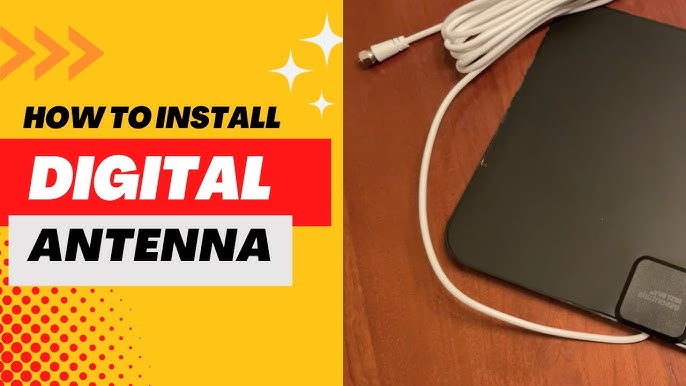
Use a coaxial cable to link the antenna to the TV. This cable carries the signal from the antenna. One end connects to the antenna’s output. The other end plugs into the TV’s coaxial input port. Make sure both ends are tight to avoid signal loss.
Connecting To The Tv Tuner
Find the TV tuner input on your television. It is usually labeled “ANT IN” or “Cable In.” Plug the coaxial cable into this port. The TV tuner reads the signal from the antenna. This allows your TV to display channels clearly.
Powering Amplifiers If Needed
Some antennas need an amplifier to boost weak signals. If your antenna has one, connect it to a power source. Usually, amplifiers use a small power adapter or USB power. Powering the amplifier improves signal strength and channel reception.
Credit: www.youtube.com
Scanning For Channels
After installing your digital TV antenna, the next step is scanning for channels. This process lets your TV find all available broadcasts. It ensures you get the best picture and sound quality. Scanning is simple and only takes a few minutes. Each TV brand may have slightly different menus, but the steps are similar.
Accessing Tv Menu
Turn on your TV and grab the remote control. Press the “Menu” or “Settings” button. Look for options like “Channels” or “Broadcast.” Use arrow keys to navigate through the menu. Select the option related to channel setup or tuning.
Running Auto-scan
Choose “Auto-Scan” or “Auto-Tune” from the channel menu. The TV will start searching for all available channels. This process can take a few minutes. Do not turn off the TV or remote during scanning. Let the TV finish to find all the stations near you.
Saving Channels
Once scanning finishes, the TV shows the number of found channels. Select “Save” or “Store Channels” to keep the results. Your TV will remember these channels for easy access later. Now, you can watch your favorite shows without interruptions.
Troubleshooting Signal Issues
Signal problems can ruin your TV watching experience. Poor reception causes pixelated images and no sound. Fixing these issues helps you enjoy clear channels. Follow simple steps to improve your antenna signal quality.
Adjusting Antenna Position
Move your antenna slowly to find the best spot. Higher places often get better signals. Try near a window or wall facing the broadcast towers. Small changes can make a big difference in signal strength. Avoid metal objects and large furniture near the antenna.
Checking Cable Connections
Loose or damaged cables reduce signal quality. Check all cable ends for tight and clean connections. Replace any worn or frayed cables. Make sure the cable is connected to both the antenna and TV. Secure connections prevent signal loss and interference.
Using Signal Boosters
Signal boosters help if you live far from towers. They amplify weak signals for clearer reception. Choose a booster compatible with your antenna type. Install it close to the antenna for best results. Do not overuse boosters, as too much signal can cause issues.

Credit: www.amazon.com
Maintaining Your Antenna
Maintaining your digital TV antenna helps keep your signal strong and clear. Regular care prevents damage and extends the antenna’s life. Small steps can avoid big problems later. Follow these simple tips to keep your antenna working well.
Regular Inspection
Check your antenna every few months. Look for loose parts or rust. Tighten any screws or bolts that seem weak. Watch for damaged cables or connectors. Catching issues early saves time and money.
Cleaning Tips
Dust and dirt can block signals. Clean your antenna with a soft cloth. Use mild soap and water for tough grime. Avoid harsh chemicals that could harm the antenna. Dry it well to stop rust from forming.
Weatherproofing
Protect your antenna from rain and wind. Use waterproof tape on cable connections. Seal any cracks or openings with silicone. Secure the antenna firmly to prevent movement. This keeps your antenna stable and safe in bad weather.
Conclusion
Installing a digital TV antenna is simple and affordable. Choose the right spot with a clear view of the sky. Connect the antenna to your TV using the coaxial cable. Scan for channels to enjoy free local broadcasts. Adjust the antenna position if the signal is weak.
This small effort brings many TV options without monthly fees. Enjoy your favorite shows with better picture quality today.